

Introduction
What are Project Milestones?
Project Milestones in Project Management mark the key dates in the project, and let’s everyone know about important goals.
A key tool in project planning, they can indicate a project deliverable, successful completion of a phase, or a critical deadline for you or your clients.
In the project schedule, or overall workspace schedule they help to see where you need to focus resources, and see an overview of what the team needs to achieve and when.
Let’s take a look at a Project Milestones example.
Create a Project Milestone
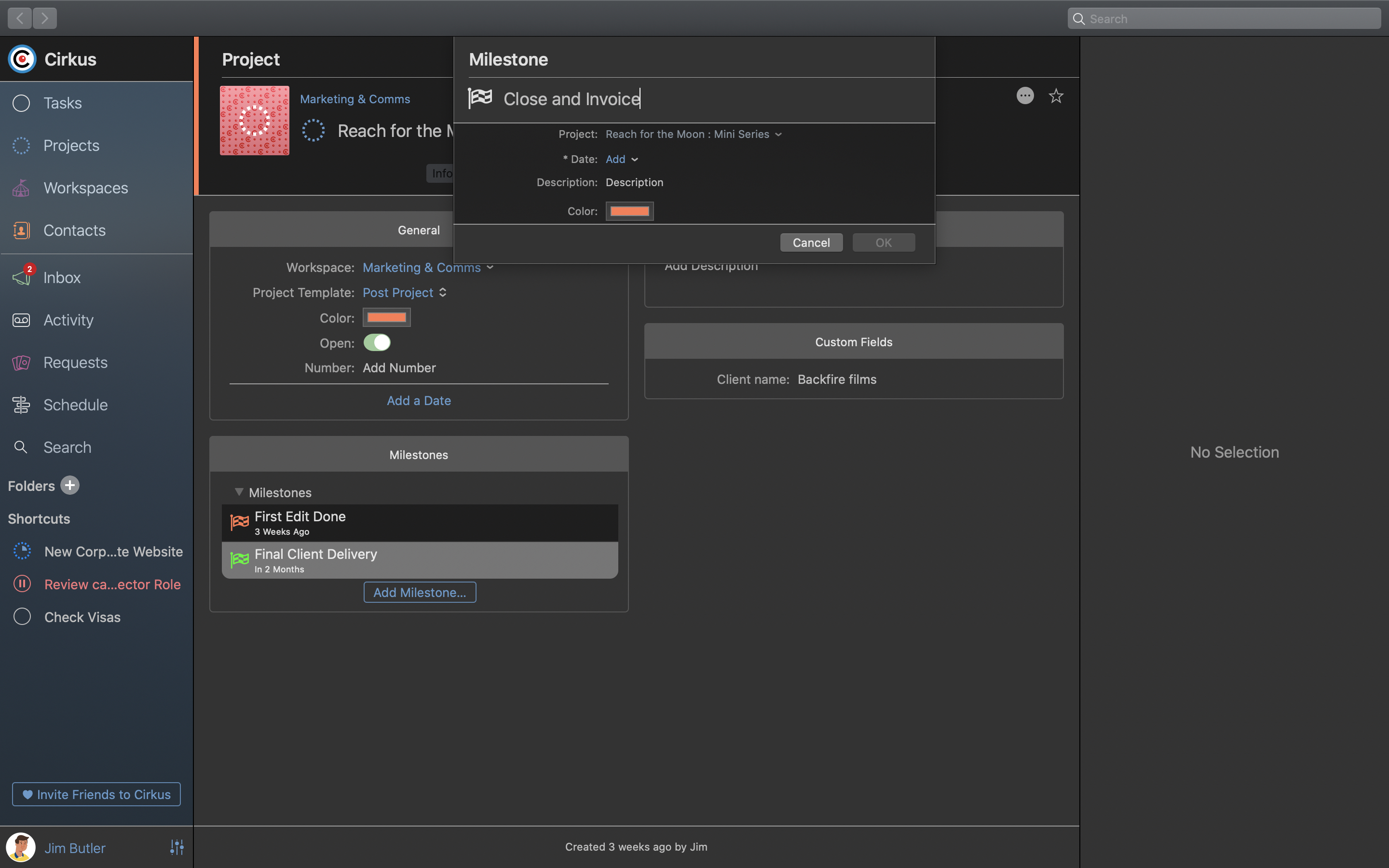
Create Milestones in the Project View.
- From the project list select the project you are adding the milestone for.
- In the project Inspector on the right, click [Add Milestone]
- Add the name of the milestone, description, colour and date.
If your project has a colour the milestone colour will default to that colour. - Click OK and the milestone will be created.
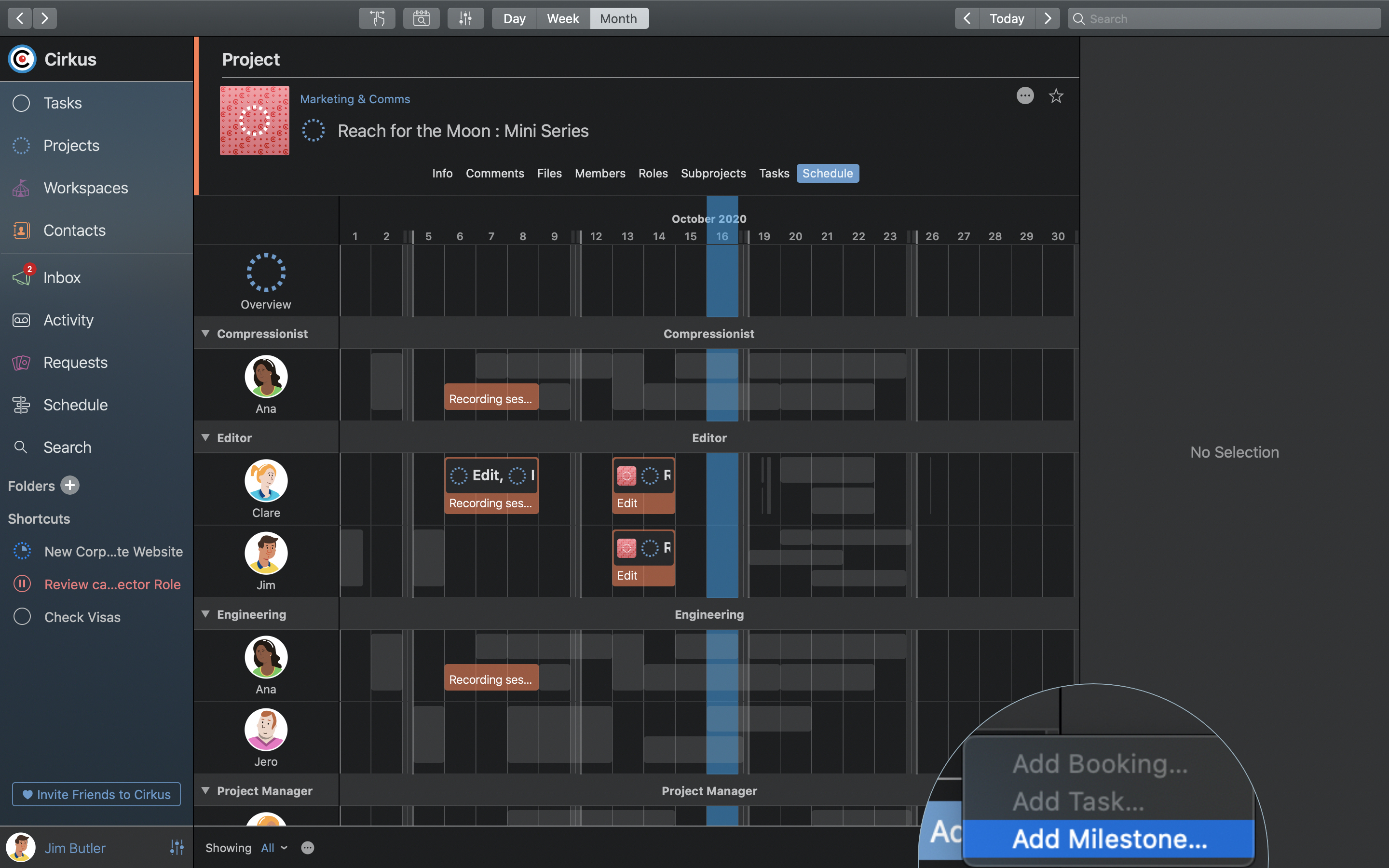
Create Milestones in the Schedule Views
- Go to the project > Schedule tab.
- Click on a date where you want to create the milestone.
- Then go the options in the bottom left and select [Add Milestone]
- Add the name of the milestone, description, colour and date.
If your project has a colour the milestone colour will default to that colour. - Click ok and the milestone will be created.
Milestones for each project are shown in the Project Inspector, when selecting the project in a list, or in the Project> Info tab.Click through to the overall Workspace Schedule, or the Project Schedule to see how things are looking.
Join for free today
Join the Cirkus and let your project take center stage.
Get Started
Working with Project Milestones
Using Milestones as part of the project management phases for your project, will make them visible in your Project’s Schedule and in the overall Schedule view.
You can click on a Milestone in these schedules to edit the name, description, date or colour of the milestone.
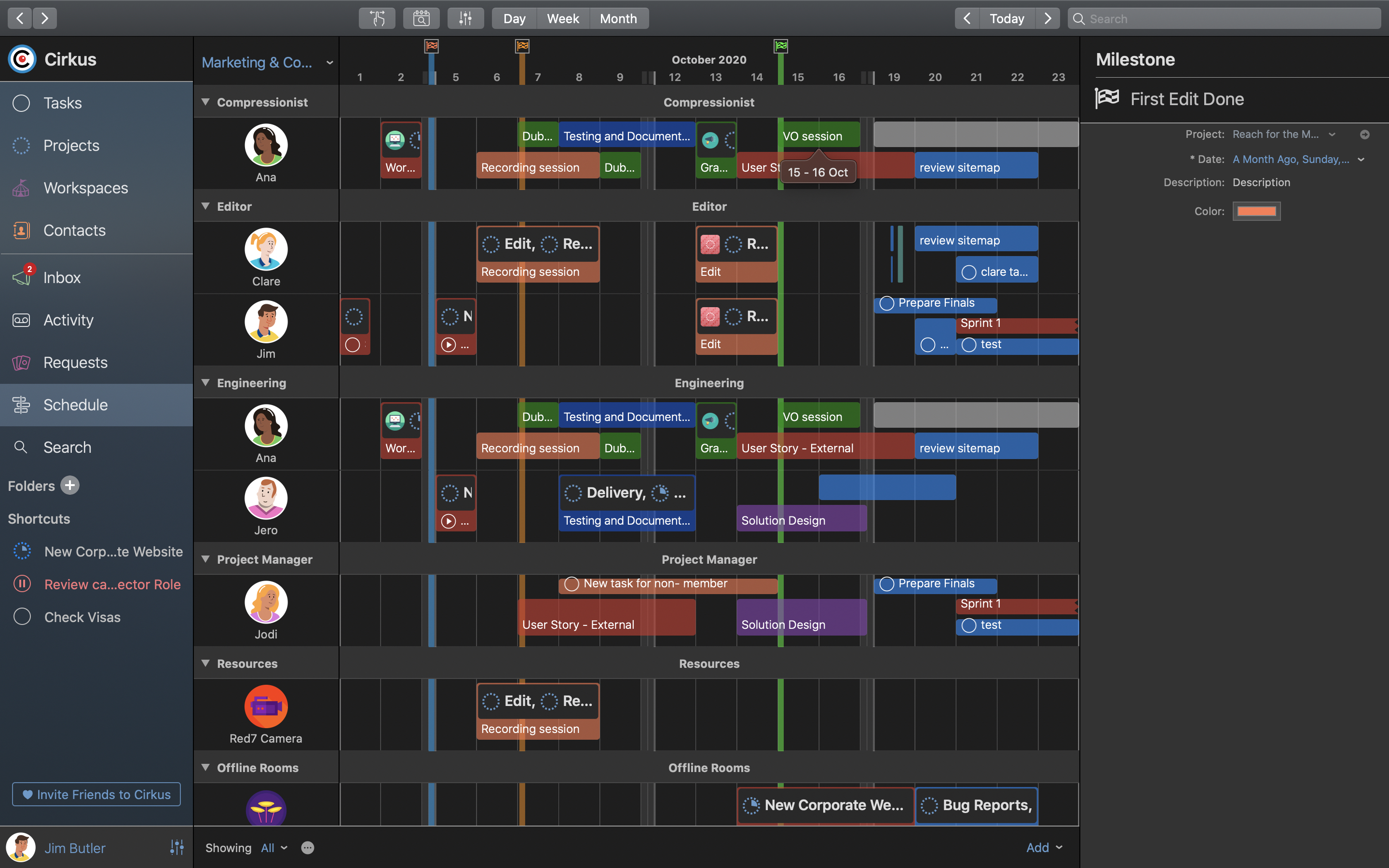
You can see a list of each Project’s Milestones in the Project> Info tab, or in the Project Inspector.
Conclusion
Now that you know what is a Milestone in Project Management, and how to use them in Cirkus, you can keep your projects on track, and see any slippage, a key part of any project risk assessment.
Allowing your team to focus on the key dates visually in the Schedule, and let project members be notified when those important dates arrive.