

When projects fall behind schedule or deadlines become more urgent, project managers need practical ways to recover lost time. Project schedule crashing is a schedule compression technique that helps shorten project duration by adding resources, increasing effort, or adjusting priorities on critical tasks.
However, crashing a project schedule requires careful planning. Adding resources or accelerating work can increase costs and create new risks if not managed correctly. This guide explains what project crashing is, when to use it, key techniques, potential risks, and how project managers can apply it effectively.
What Is Crashing a Project Schedule?
Project schedule crashing is a project management technique used to reduce the overall project timeline by allocating additional resources or increasing effort on specific tasks.
In crashing in project management, the goal is to complete a project faster while maintaining the original scope. Unlike fast-tracking, which overlaps activities that were planned sequentially, crashing focuses on shortening task durations by increasing resources, such as adding team members, equipment, or working hours.
A crashing schedule in project management usually focuses on tasks located on the project’s critical path. The critical path is the sequence of activities that determines the shortest possible project completion time. Reducing the duration of tasks outside this path may not affect the final delivery date. For example, if a software project is delayed because development tasks on the critical path are taking longer than expected, a project manager may assign additional developers or increase testing resources to recover time.
Project crashing requires balancing three important factors:
- Time: How much can the project timeline be reduced?
- Cost: How much additional investment is required?
- Quality: How can teams maintain expected standards while working faster?
When and Why to Use Crashing a Project Schedule
Crashing is not suitable for every project. It’s most effective in scenarios such as urgent deadlines, schedule slippage, competitive pressures, and when additional resources are temporarily available.
Effective project planning helps identify potential schedule risks early, allowing project managers to proactively decide when crashing a project schedule might be necessary to meet changing demands.
 For example, a project may face a sudden market opportunity requiring an earlier product launch, or a critical task might have encountered unexpected delays that jeopardize the entire timeline. In these cases, crashing a project schedule helps regain lost time and meet new expectations.
Though the benefits include accelerated delivery and increased stakeholder confidence, crashing can also increase costs and stress on the team. Thus, project managers must carefully weigh the decision before proceeding.
When Should You Use a Crashing Schedule in Project Management?
Crashing is not suitable for every project. It is most effective when reducing the timeline provides significant business value and additional resources are available.
Common situations where project managers may consider schedule crashing include:
| Situation | Suitability | Explanation |
| Urgent deadlines | High | The project must be completed earlier than planned. |
| Schedule delays | High | The team needs to recover lost time and return to the original timeline. |
| Market opportunities | Medium | Faster delivery may help launch a product or service at the right time. |
| Additional resources available | Variable | Extra team members or equipment can support faster completion. |
| Limited budget | Low | Crashing usually increases costs and may not be suitable. |
Before deciding to crash the schedule, project managers should evaluate whether the benefits of faster delivery outweigh the additional costs and risks.
Strong project planning helps identify potential delays earlier and gives teams better visibility into when schedule compression techniques may be necessary. Using structured project planning management processes can help teams understand dependencies, resources, and deadlines before making changes.
Key Techniques for Effective Project Schedule Crashing
Successfully crashing a project schedule requires choosing the right approach based on project requirements, available resources, and timeline constraints.
Adding Resources
One of the most common crashing techniques is assigning additional resources to critical tasks. This may include:
- Adding team members
- Increasing specialist support
- Allocating additional equipment
- Outsourcing specific activities
However, adding more resources does not always guarantee faster results. New team members may require onboarding time, and larger teams can create additional communication challenges. Project managers should evaluate whether additional resources will genuinely reduce task duration before making changes.
Overtime Work
Another approach is increasing effort through overtime or additional working sessions. This can help recover small delays, especially when deadlines are fixed. However, extended working hours should be carefully managed because long periods of overtime may lead to:
- Team fatigue
- Reduced productivity
- Lower quality output
- Increased risk of mistakes
A balanced approach is essential to avoid solving a timeline problem by creating new performance issues.
Prioritizing Critical Path Tasks
The most effective crashing decisions usually focus on critical path activities. Since these tasks directly impact the final delivery date, reducing their duration can shorten the entire project timeline.
Before crashing a project, teams should identify:
- Which tasks determine the final deadline
- Which activities have dependencies
- Which tasks can realistically be accelerated
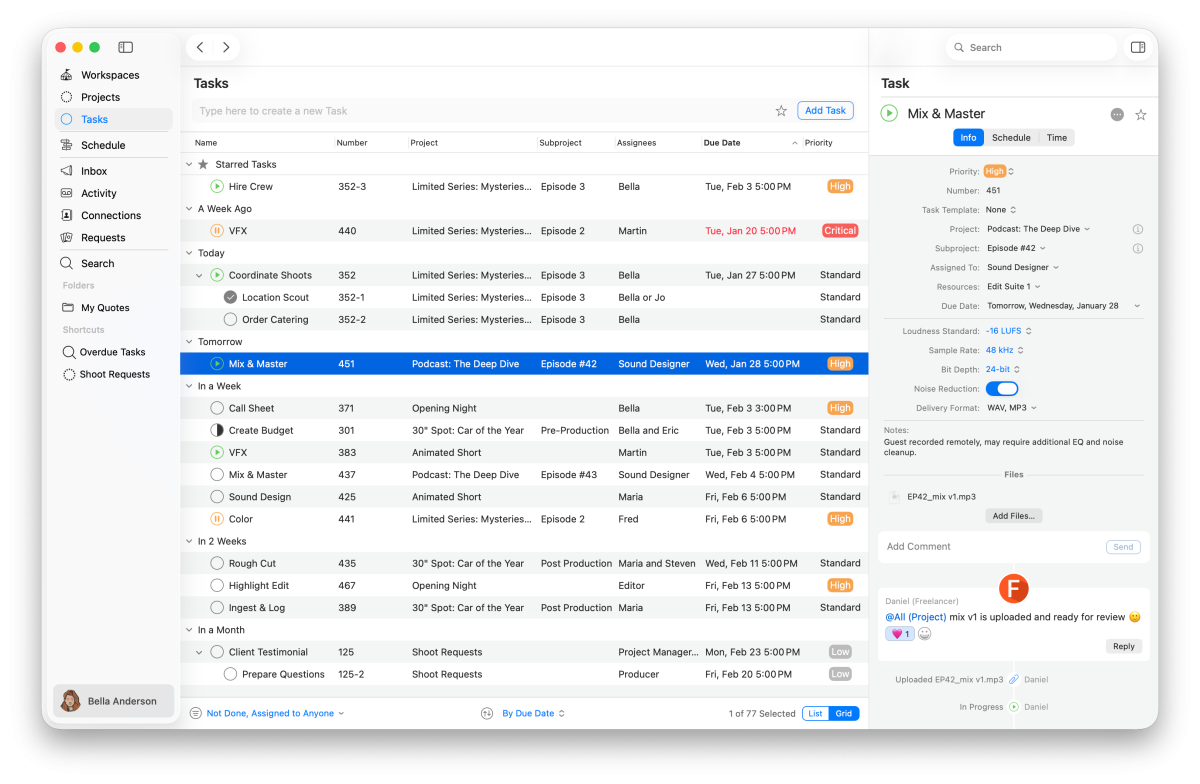
Improving visibility into tasks and dependencies through project management tools can help managers make better decisions when adjusting schedules.
Adjusting Scope or Task Dependencies
Sometimes projects can be accelerated by reviewing planned activities and identifying opportunities to simplify work. Examples include:
- Removing non-essential tasks
- Adjusting deliverables
- Overlapping selected activities
- Changing priorities
However, any scope adjustment should be reviewed carefully to avoid reducing quality or creating additional work later.
The Critical Path and Its Role in Project Crashing
The critical path plays a central role in project schedule crashing because it identifies the tasks that directly affect the final completion date. If a project manager reduces the duration of a non-critical task, the overall project timeline may remain unchanged. However, shortening critical path activities can directly reduce the project duration.
A typical crashing process includes:
- Identify the critical path
- Review activities that can be shortened
- Estimate additional costs
- Compare time saved versus investment required
- Select the most effective approach
Understanding the critical path helps teams avoid unnecessary changes and focus resources where they will have the greatest impact.
Calculating Costs and Trade-Offs of Crashing a Project
While project crashing can help teams meet deadlines, it often increases project costs. Before making a decision, project managers should calculate whether the time saved justifies the additional investment.
Common cost factors include:
- Additional labour costs
- Overtime expenses
- Equipment costs
- External support
- Increased management effort
- Additional quality checks
Example:
| Task | Normal Duration | Crash Duration | Normal Cost | Crash Cost |
| Task A | 10 days | 6 days | $5,000 | $7,000 |
| Task B | 15 days | 12 days | $8,000 | $9,500 |
| Task C | 8 days | 5 days | $4,000 | $5,600 |
This type of analysis helps project managers determine which activities provide the best balance between cost and time savings.
Best Practices for Managing Risks During Crashing Schedule in Project Management
Crashing a project schedule can introduce several risks that, if not managed properly, may compromise project success. Applying proven best practices helps mitigate these risks and ensures that schedule acceleration does not come at the cost of quality or team wellbeing. Key practices include:
- Maintain Quality Standards: Avoid sacrificing product or service quality in the rush to meet tighter deadlines. Set clear benchmarks and enforce them rigorously.
- Monitor Team Workloads: Keep a close eye on employee capacity to prevent burnout, errors, and drops in productivity. Encourage regular breaks and manage overtime wisely.
- Communicate Transparently with Stakeholders: Clearly inform all involved parties about the impacts of crashing on cost, scope, and timelines to set realistic expectations.
- Use Real-Time Progress Tracking: Employ tools that provide immediate updates on project status to quickly detect and address delays or issues.
- Plan Contingencies: Prepare fallback options for risks such as resource shortages, unexpected delays, or task dependencies that might affect the crashing plan.
Implementing these practices increases the likelihood of a successful schedule crash without unintended negative consequences.

Common Mistakes When Crashing a Project Schedule
Although crashing can be useful, poor planning can create additional challenges.
Common mistakes include:
Adding Too Many Resources
More resources do not always mean faster delivery. Large teams may require additional coordination and communication.
Ignoring Dependencies
Accelerating one task without considering connected activities can create bottlenecks or rework.
Sacrificing Quality
Shorter timelines should not automatically mean lower standards. Teams should maintain clear quality checks throughout the project.
Failing to Communicate Changes
Schedule changes affect teams, stakeholders, and resources. Clear communication helps everyone understand new priorities and responsibilities.
How Project Management Tools Support Schedule Crashing
Effective schedule crashing requires accurate information about tasks, resources, dependencies, and progress.
Project management tools can help teams:
- Track project progress in real time
- Identify delays earlier
- Monitor resource availability
- Improve communication between teams
- Manage changing priorities
For creative and production teams, this visibility is especially important when multiple specialists work together across different stages of delivery.
For example, video production project management often requires coordination between producers, creative teams, and technical specialists. Similarly, post-production teams need clear visibility into deadlines, workloads, and approvals.
For agencies managing multiple client projects, project management for creative agencies can help teams coordinate resources and maintain delivery timelines.
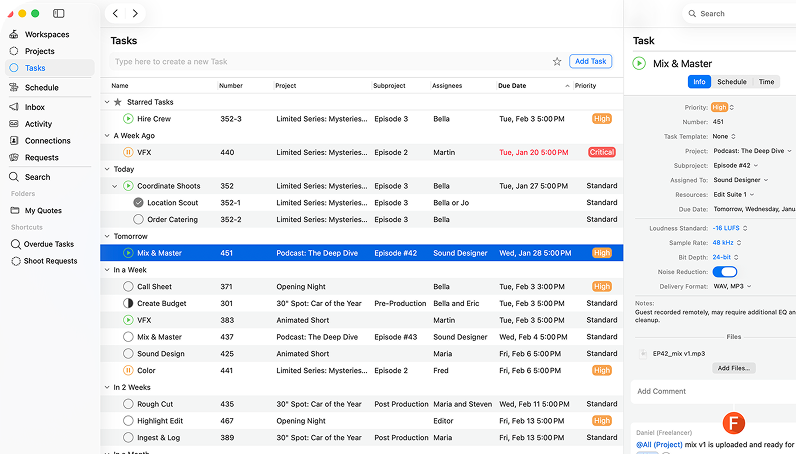
The Cirkus app provides teams with a shared workspace to organise tasks, improve collaboration, and keep projects moving forward.

- Collaborate from every device
- Automate tasks and workflows
- See all projects at a glance
- Make quotes in minutes
Crashing vs Fast-Tracking: What Is the Difference?
Crashing and fast-tracking are both schedule compression techniques, but they work differently.
| Aspect | Crashing | Fast-Tracking |
| Definition | Adding resources or increasing effort to shorten task duration | Overlapping activities that were originally sequential |
| Cost impact | Usually increases costs | May have limited direct cost impact |
| Main risk | Higher costs and resource pressure | Rework and coordination issues |
| Best suited for | Tasks that can be accelerated with additional resources | Tasks that can safely run in parallel |

For example:
- Crashing a project may involve adding more developers to complete a feature faster.
- Fast-tracking may involve starting testing before all development work is complete.
The right approach depends on project constraints, available resources, and acceptable risk levels.
Conclusion
Crashing a project schedule can help teams recover lost time and meet important deadlines when applied strategically. By focusing on critical path activities, evaluating costs, and managing resources carefully, project managers can accelerate delivery while maintaining control.
However, successful schedule crashing requires more than adding resources. Clear planning, communication, and real-time project visibility are essential to avoid unnecessary risks.
With the right processes and tools, teams can adapt to changing deadlines while keeping projects organised and aligned.