

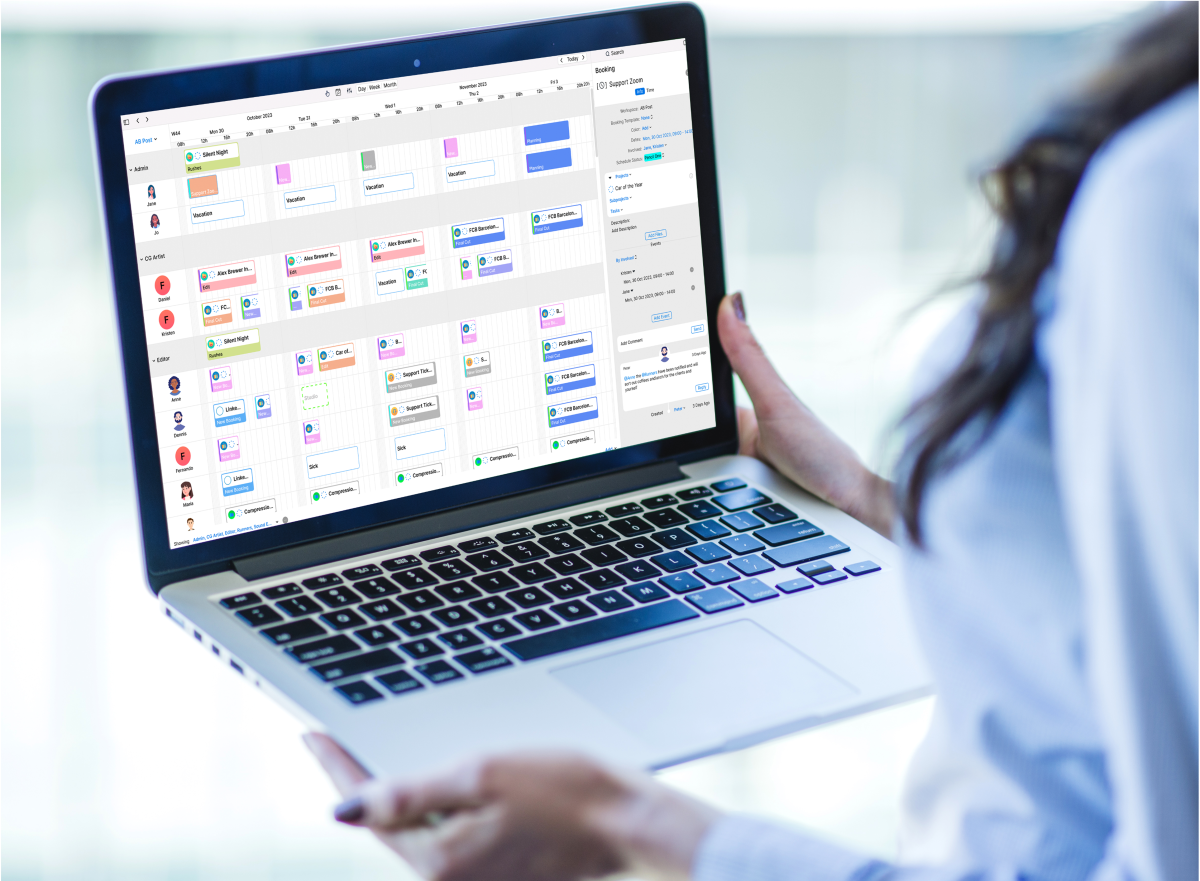
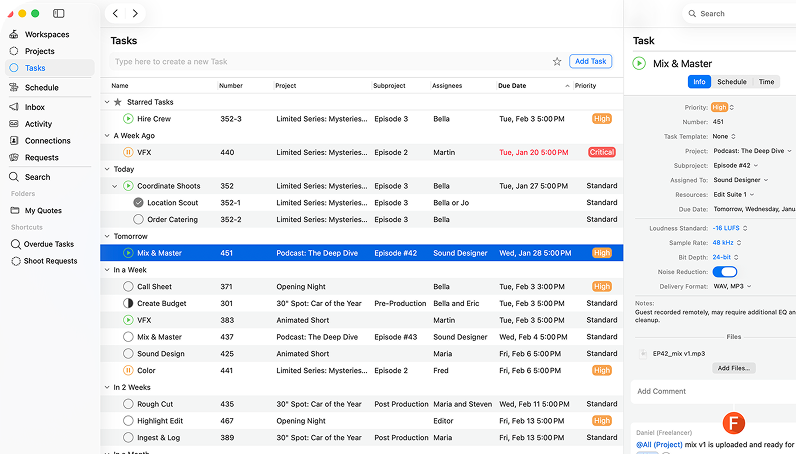
Cirkus is a creative project management and team collaboration platform that helps teams manage tasks, projects, schedules, requests, approvals, and day-to-day communication in one place.
It is particularly useful for creative agencies, media companies, production departments, and post-production teams that need greater visibility across their projects and schedules.
In this guide, we compare Cirkus with leading alternatives, explain how they differ, and help you decide whether a general project management tool or production-focused platform is the best fit for your team.
Which project management tool is best for your team?
The best project management tool depends on the type of work your team manages. Some platforms are designed for general task management, while others focus on documentation, enterprise planning, software development, or highly customizable workflows.
The following comparison provides a quick overview of the best option for each use case.
| Use case | Best option |
| Creative and production workflows | Cirkus |
| General task management | Asana |
| Flexible team workspace | Notion |
| Spreadsheet-style project tracking | Airtable |
| Work management for large teams | Smartsheet |
| Visual task boards | Trello |
| Planning within Microsoft 365 | Microsoft Planner |
| Marketing and operations teams | Wrike |
| All-in-one work management | ClickUp |
| Broad project collaboration | Monday.com |
General project management tools work well for basic tasks and deadlines. Creative teams often need more connected team collaboration software, including scheduling, approvals, requests, and project visibility.
Why teams look for a Cirkus alternative
Teams may compare Cirkus with other platforms for many reasons. This does not necessarily mean that Cirkus is missing essential functionality. Different organizations simply have different priorities, systems, budgets, and internal processes.
A small marketing team may only need straightforward task management software for teams, while a global business may prioritize detailed reporting, permissions, and enterprise administration.
By comparison, creative and production teams may need workflow management software that connects project planning with schedules, requests, approvals, and collaboration.
The right choice depends on how much complexity your team manages and whether you want to configure a generic platform or use a solution already designed around creative workflows.
Cirkus vs generic project management tools
Platforms such as Asana, ClickUp, Monday.com, and Trello are broad project management tools designed for general task management, deadlines, project boards, and progress tracking.
However, creative and production teams often need more than basic task management. Video production, post-production, media, and creative workflows may involve schedules, bookings, requests, quotes, automations, approvals, freelancers, multiple departments, and changing priorities.
Cirkus is built around these requirements. It combines post production project management, scheduling, approvals, requests, and workflow management software in one platform.
This makes Cirkus a stronger choice for organizations looking for project management software for creative teams.

10 best Cirkus alternatives
The following tools are not ranked from best to worst. Each platform is strongest for a different type of team, workflow, or project environment.
Asana
Best for: General project and work management
Good fit for: Cross-functional teams that need tasks, timelines, forms, approvals, automation, and workload planning.
Not ideal for: Media teams that need detailed crew, studio, room, and equipment scheduling within the same production system.
Cirkus vs Asana: Asana is a broad work management platform that can support creative production. Cirkus is more specialized for media and production teams that need to connect project tasks with operational resource scheduling, requests, time reporting, and production visibility.
Trello
Best for: Visual boards and straightforward task tracking
Good fit for: Freelancers and smaller teams that want an accessible Kanban-style system with cards, lists, templates, and automation.
Not ideal for: Teams that need connected resource scheduling, detailed production planning, time reporting, or financial workflows without relying on additional setup.
Cirkus vs Trello: Trello makes visual task tracking simple. Cirkus adds structured project and task management, resource scheduling, requests, approvals, and production coordination for teams managing more complex workflows.
ClickUp
Best for: Highly customizable all-in-one work management
Good fit for: Teams that want tasks, documents, dashboards, forms, automation, and communication in a configurable workspace.
Not ideal for: Teams that want production-focused resource scheduling and ready-to-use media workflows without extensive configuration.
Cirkus vs ClickUp: ClickUp offers broad functionality and deep customization. Cirkus provides a more focused environment for creative and production teams that need projects, schedules, requests, approvals, and resources connected from the start.
Monday.com
Best for: Flexible cross-functional project management
Good fit for: Marketing, operations, and business teams that want visual boards, forms, dashboards, approvals, and customizable automation.
Not ideal for: Teams whose main requirement is detailed booking and scheduling of production crew, studios, rooms, and equipment.
Cirkus vs monday.com: monday.com can support many creative and operational workflows. Cirkus focuses more specifically on media and post production, combining project work with resource scheduling, requests, time reporting, automations and day-to-day coordination.
Smartsheet
Best for: Portfolio management and spreadsheet-based planning
Good fit for: Larger organizations that need structured reporting, governance, capacity planning, and visibility across multiple projects.
Not ideal for: Teams that prefer a focused production workspace instead of spreadsheet-led project and portfolio management.
Cirkus vs Smartsheet: Smartsheet is strong for structured planning, reporting, and portfolio oversight. Cirkus provides a more production-focused environment for coordinating projects, people, resources, schedules, and daily collaboration.
Wrike
Best for: Enterprise creative and marketing operations
Good fit for: Agencies and larger organizations that need request forms, proofing, approvals, workload management, reporting, and structured creative workflows.
Not ideal for: Smaller or mid-sized production teams looking for a more focused system for scheduling media resources and coordinating daily production work.
Cirkus vs Wrike: Wrike is a strong enterprise creative operations platform. Cirkus is more specialized around media and production scheduling, connecting project tasks with people, equipment, rooms, requests, and time reporting.
Notion
Best for: Documentation and flexible team workspaces
Good fit for: Teams that want to connect documents, wikis, databases, meeting notes, projects, and lightweight workflows.
Not ideal for: Teams that require detailed resource bookings, production requests, time reporting, and structured operational scheduling.
Cirkus vs Notion: Notion is particularly useful for documentation and shared knowledge. Cirkus focuses on managing active creative and production work, from project intake and scheduling to collaboration, review, and delivery.
Microsoft Planner
Best for: Project planning within Microsoft 365
Good fit for: Organizations already using Microsoft Teams, Outlook, and other Microsoft 365 applications.
Not ideal for: Teams that want production-specific scheduling, external requests, resource booking, and collaboration in one dedicated system.
Cirkus vs Microsoft Planner: Microsoft Planner offers accessible task management and more advanced planning features through its premium plans. Cirkus provides a more specialized workflow for creative and production teams managing projects, tasks, schedules, people, equipment, requests, and time reporting.
Jira
Best for: Software development and Agile delivery
Good fit for: Engineering, IT, and product teams that need sprint planning, issue tracking, backlogs, releases, and development workflows.
Not ideal for: Creative and media teams that need production scheduling, client reviews, resource bookings, and project coordination without extensive configuration.
Cirkus vs Jira: Jira is primarily associated with Agile and software development workflows. Cirkus is designed around creative, media, production, and post-production operations involving projects, contributors, schedules, and resources.
Airtable
Best for: Custom databases and flexible operational workflows
Good fit for: Teams that want to build customized content calendars, production databases, approval systems, and operational trackers.
Not ideal for: Teams that want a ready-to-use production workflow without building and maintaining a customized database structure.
Cirkus vs Airtable: Airtable gives teams considerable flexibility to design their own creative workflows. Cirkus provides a more focused production environment with project management, resource scheduling, requests, approvals, time reporting, and Quotes & Rates available according to plan.
What to consider before choosing a Cirkus alternative
Before choosing a Cirkus alternative, consider your team size, workflow complexity, scheduling and approval needs, reporting, integrations, and ease of use.
Smaller teams may value simplicity, while larger organizations often need stronger permissions and visibility across multiple projects. Creative and production teams may also need bookings, requests, reviews, approvals, and collaboration with freelancers or external partners, making dedicated creative agency management software a better fit than a basic task management tool.
The right creative workflow software should clearly show who is responsible, what is scheduled, and what needs attention. While a generic project management tool may suit basic task tracking, dedicated production workflow software is often a better fit for complex creative work.
Cirkus brings projects, schedules, requests, approvals, reporting, and collaboration together in one platform built for creative and production teams.
- Collaborate from every device
- Automate tasks and workflows
- See all projects at a glance
- Make quotes in minutes
Which Cirkus alternative should you choose?
The right choice depends on how your team works. General project management tools may be enough for simple task tracking, documentation, or enterprise reporting.
However, when comparing Cirkus vs alternatives, creative, media, production, and post-production teams should consider whether they also need scheduling, bookings, requests, approvals, and collaboration in one connected platform.
For teams managing fast-moving creative workflows, Cirkus stands out as a stronger fit, offering video production project management software that keeps projects, people, and priorities aligned from the first request through to final delivery.
Conclusion
The best Cirkus alternative depends on what your team actually needs. General platforms may be suitable for basic tasks, documentation, or technical project management.
Cirkus is different because it is built around the realities of creative, production, and post-production work, where schedules change, approvals matter, and multiple teams need to stay aligned.
For organizations looking for creative project management software and team collaboration software in one connected platform, Cirkus offers a more focused way to manage work from planning through delivery.
See how Cirkus fits your production workflow
Start a free trial or book a demo to explore how Cirkus can help your team manage projects, tasks, schedules, requests, approvals, and collaboration in one place.
Frequently asked questions
Publisher
This article is published by THE ELECTRONIC FARM USA, INC.
401 Wilshire Boulevard, 12th Floor, Santa Monica, CA 90401, United States.