

Media teams are fast-paced, creative powerhouses responsible for delivering high-quality content on tight deadlines. Whether they work in digital media, broadcasting, marketing, or production, these teams juggle multiple projects at once, from video production and brand campaigns to social media rollouts and design assets. But managing creative workflows isn’t easy. Miscommunication, task overload, and scattered files can slow everything down.
This is where collaboration tools for teams come in. These platforms help media professionals streamline workflows, improve transparency, and accelerate production timelines, all while keeping creativity flowing. With a structured workspace that supports file sharing, team communication, task management, and feedback loops, tools like Cirkus help media teams work smarter, not harder.
Understanding collaboration tools for teams in media
Collaboration tools are digital platforms designed to help teams work together efficiently. For media teams, this means combining task management, communication, scheduling, and resource planning into one unified system. Unlike traditional office teams, media teams work with complex creative processes that involve constant revisions, cross-team input, and dependency-based workflows.
The role of collaboration tools in media teams
Media teams often work across departments: video editors collaborate with scriptwriters, marketers with designers, and production managers with clients. These workflows involve approvals, deadlines, and constant coordination. A collaboration tool for teams like Cirkus creates structure by organizing projects into timelines, assigning roles, and tracking progress.
It ensures that writers know when a draft is ready, editors receive footage on time, and designers don’t miss creative briefs, all without endless email chains.
Challenges faced by media teams
Media production is dynamic and deadline-driven. Common challenges include:
- Tight schedules: Projects often need to be delivered within days or hours.
- Cross-functional teamwork: Collaboration happens across departments and sometimes across continents.
- Resource limitations: Creative tools, studio time, and teams must be managed carefully.
- Multiple revisions: Feedback cycles can turn chaotic without proper tracking.
- Remote workflows: Distributed media teams face communication and version control issues.
These challenges slow teams down, reduce productivity, and increase error risks. Collaboration tools for teams help solve these problems by making communication clear, workflows organized, and tasks visible to everyone involved.
Key features of collaboration tools for media teams
Task assignment and tracking
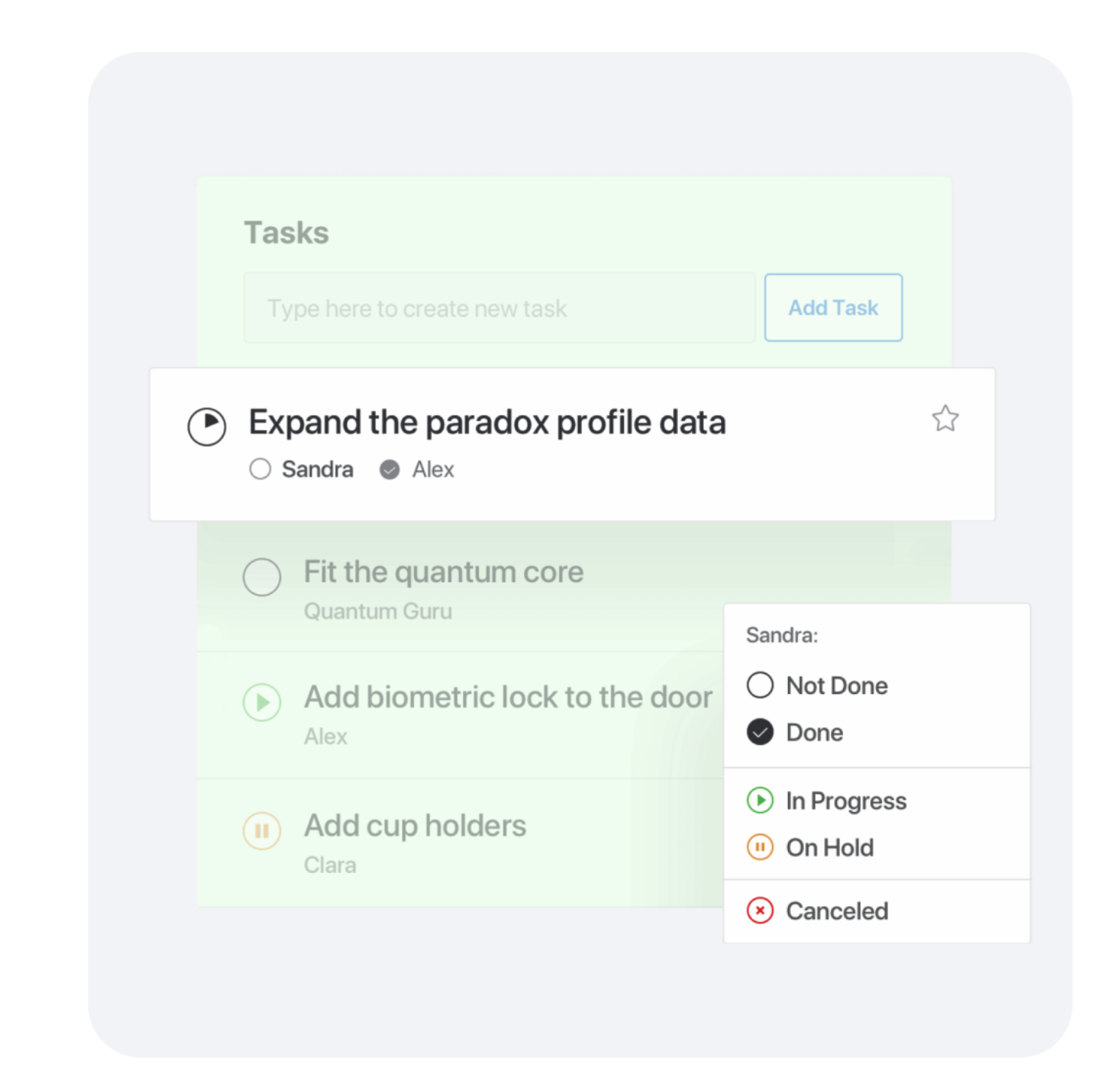
Every successful media project starts with clear task allocation and strong project planning. Collaboration tools let team leads assign tasks with deadlines, descriptions, and priority levels so that production moves forward smoothly. Tools like Cirkus also support role-based assignments—for example, assigning editing to a video lead, motion graphics to a design partner, and script revisions to a copywriter.
With built-in task tracking and progress indicators, managers can quickly see what’s on track, what’s delayed, and what needs review. This prevents task overload, keeps production organized, and ensures that no part of the project is overlooked.
Real-time communication and updates
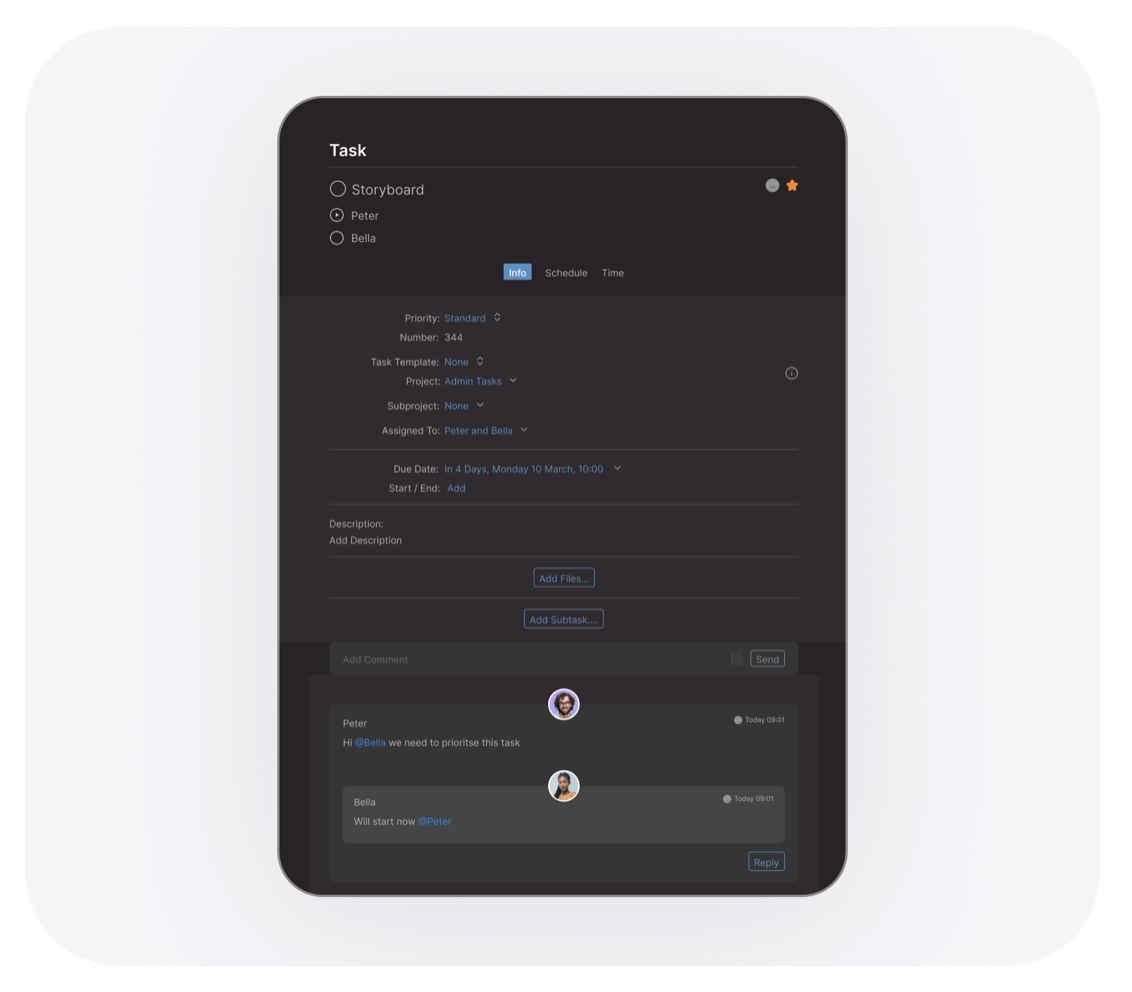
Media teams work in fast-paced environments where projects move quickly and priorities change often, so multitasking skills are essential. But when communication is scattered across emails and chat apps, multitasking becomes a problem instead of a strength. Collaboration tools solve this by keeping communication organized in one workspace. With instant messaging, task comments, and real-time updates linked directly to each project, teams no longer waste time searching for lost feedback. Everything stays connected, clear, and easy to track.
File sharing
Sharing media files is one of the biggest challenges for creative teams, especially when working with large video exports, motion graphics, layered design files, and audio mixes. Keeping track of versions and review feedback can quickly turn messy without the right system. This is where Cirkus makes a real difference. Instead of files being lost in random folders or long email threads, Cirkus centralizes media assets inside each project and keeps everything organized. Everyone always knows which file is the latest version, and who uploaded it. It keeps media workflows clean.
Integrated calendar and scheduling
Deadlines are everything in media. Campaign launches, publishing schedules, and client delivery dates must be aligned across content teams.
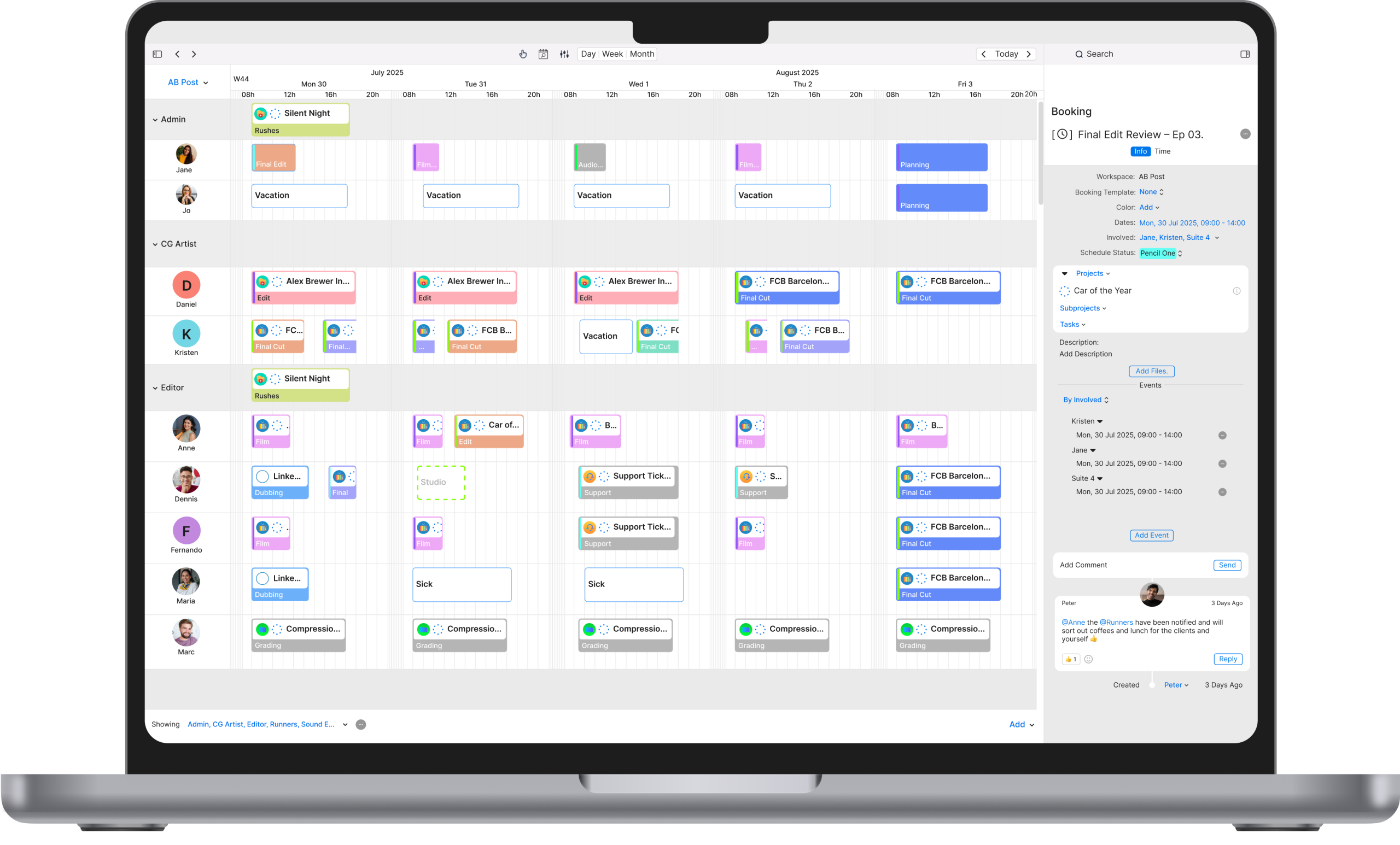
Collaboration tools include shared calendars, project milestones and timeline views to plan:
- Production schedules
- Shoot dates
- Editing cycles
- Content approval workflows
These schedules help media teams stay aligned on deadlines and avoid last-minute rushes.
Cross-platform integration
Media workflows move through different tools: Adobe Creative Cloud, Figma, Frame.io, Dropbox, Google Drive, and more. A great collaboration tool for teams integrates with these platforms to make workflows seamless.
Instead of switching tabs endlessly, media teams can connect all their tools in one place, saving time and effort.
The benefits of using collaboration tools for media teams
Enhanced workflow and productivity
When teams can see what needs to be done, who is responsible, and when tasks are due, productivity increases naturally. Collaboration tools remove confusion and automate repetitive tasks like follow-ups and status updates.
By simplifying task reviews and approvals, collaboration tools help media teams work faster, without sacrificing creativity or quality.
Improved collaboration and creativity
Great media work thrives on collaboration. Creative teams need a simple way to share ideas, give feedback, and build on concepts together. But when communication is scattered across emails and chats, production slows down.
That’s why media teams rely on collaboration tools for teams like Cirkus. They keep conversations, files, and tasks in one organized place, making team collaboration smoother and more efficient. Instead of chasing updates, teams stay aligned and focused on producing great content.
Better resource management
Media teams often share limited resources, like studio time, equipment, and editing suites. Collaboration tools include resource scheduling so teams can manage availability and avoid conflicts. This helps production run smoothly, especially when teams are managing multiple clients or campaigns at once.
Faster decision-making
Delayed approvals and unclear direction can slow down any creative project. Collaboration tools speed up decision-making by keeping editors, producers, and managers aligned. With real-time feedback and project visibility, decisions can be made in minutes, not days.
Increased transparency and accountability
When tasks are clearly assigned and progress is tracked, everyone knows exactly what they’re responsible for and when their work is due. Managers gain full visibility over production timelines, while team members stay accountable without constant follow-up. With dashboards and status views, it becomes easy to monitor performance, identify delays, and solve issues before they affect delivery. This kind of structure supports every stage of the project management lifecycle, helping media teams stay organised from planning to final delivery.
Collaboration tools for remote media teams
Today, many media teams work remotely or in hybrid setups. That means collaboration tools aren’t just helpful, they’re essential.
Managing remote media teams effectively
Remote teams often struggle with time zone differences, communication barriers, and project visibility. Collaboration tools solve this by offering a shared workspace where everyone stays connected no matter where they are.
Virtual communication for creative discussions
Brainstorming doesn’t have to happen around the same table anymore. With built-in comments and shared project spaces, collaboration tools for teams make it easy for creatives to exchange ideas, review concepts, and build campaigns together from anywhere. Writers, editors, designers, and producers can contribute in real time, keeping creativity moving even when the team isn’t in the same room.
Real-time collaboration across locations
Remote review and approval cycles are much faster with real-time updates and task tagging inside collaboration tools. Whether a motion designer in Berlin is working with an audio engineer in London, or a producer in New York is reviewing media assets from Madrid, collaboration tools for remote teams keep everything moving smoothly. They eliminate common virtual team challenges by centralizing feedback, preventing miscommunication, and keeping every contributor aligned—no matter where they’re located.
How to choose the right collaboration tools for media teams
Consider your team’s specific needs
Before choosing a tool, media teams should identify their priorities:
- Do you manage recurring campaigns?
- Do you need approval workflows?
- Do you collaborate with clients?
- Do you assign work by roles?
For example, Cirkus is ideal for media teams that need structured workflows with task assignments, scheduling, and shared workspaces designed for creative production.
Focus on usability and simplicity
A collaboration tool must be easy to use. If it’s too complex, adoption will fail. Choose a platform that has a clean interface, clear organization, and simple task creation. Tools should support creative flow—not interrupt it.
Ensure scalability
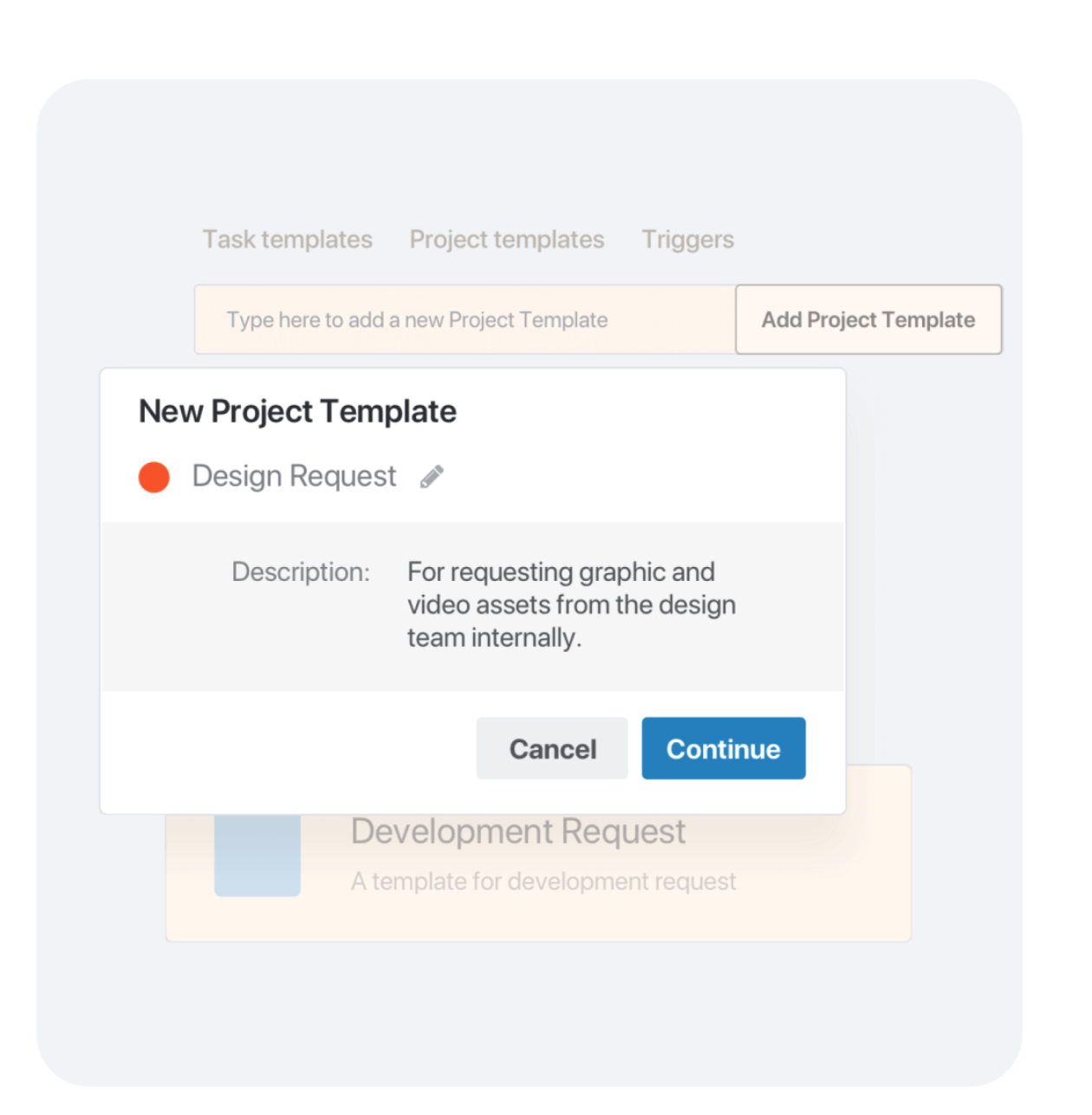
Media teams grow. Workloads increase. New clients arrive. Your tool must grow with your team. Look for collaboration tools that support project templates, automations, and multiple workspaces.
Security and privacy
Media teams often handle confidential client work, NDAs, and unreleased campaigns. Choose a tool with strong security features, including encryption and access control, to protect your media assets.
Conclusion
Collaboration tools for teams are no longer optional for media professionals—they are essential. From organizing campaigns to managing creative production, these tools bring structure to fast-paced environments and help teams deliver better results, faster. With features like task assignments, file versioning, scheduling, and real-time updates, collaboration software keeps teams aligned and productive.
For media teams that juggle deadlines, feedback loops, and demanding clients, working smarter means working together—and collaboration tools make that possible.