

A post-production scheduler coordinates people, edit suites, equipment, tasks, reviews and deadlines from initial intake through to final delivery. The term can refer to the person managing the process, the live schedule they maintain or the software used to organise it.
This guide explains what a post-production scheduler manages, why schedules become difficult to maintain, how to create a workable post-production schedule and which software features support the process.
Key takeaways
Effective post production scheduling depends on keeping project requirements, resource availability and delivery dates connected in one live plan.
- A post-production scheduler coordinates people, resources, tasks, dependencies, reviews and deadlines.
- One shared schedule helps teams avoid working from conflicting spreadsheets, emails or calendar entries.
- Dependencies must be reflected in the schedule so delays in one stage can be assessed before they affect delivery.
- Media-focused scheduling software supports the scheduler’s decisions but does not replace human judgement or communication.
What is a post-production scheduler?
A post-production scheduler coordinates the people, resources, tasks and dates required to move a project from intake through editing, reviews, finishing and delivery.
Depending on the organisation, related job titles might include bookings coordinator, post-production coordinator or resource coordinator. The exact responsibilities vary, but the central purpose remains the same: translating project requirements into a realistic and visible plan.
It helps to distinguish between three connected terms:
- The scheduler is the person or system coordinating the work.
- The post-production schedule is the current plan of tasks, bookings and deadlines.
- Post production scheduling is the ongoing process of building, checking and updating that plan.
A post-production calendar that only shows final deadlines is rarely enough. The scheduler also needs to understand what must happen before each deadline, which resources are required and what other projects are competing for the same capacity.
Why post-production scheduling becomes difficult
Post-production becomes harder to schedule when several projects share the same editors, freelancers, rooms and equipment while feedback, approvals and delivery dates continue to move.
Common causes of scheduling complexity include:
- Multiple projects running in parallel
- Limited specialist availability
- Dependencies between editing and finishing stages
- Late or incomplete client feedback
- Remote teams working across different locations
- Booking requests arriving through email, chat and spreadsheets
For example, a client review might be delayed by one day. That change could affect picture lock, colour grading, sound mixing, online finishing, quality control and final delivery. Without a connected schedule, each downstream change has to be identified and communicated manually.
Strong post-production project management therefore depends on more than tracking individual tasks. Teams also need visibility across shared capacity, dependencies and changing priorities.
What a post-production scheduler manages
The scheduler acts as the operational link between what each project requires and what the organisation can realistically deliver.
This involves more than placing dates on a calendar. People, resources, tasks and approvals must remain connected because a change in one area often affects all the others.
People, roles and shared resources
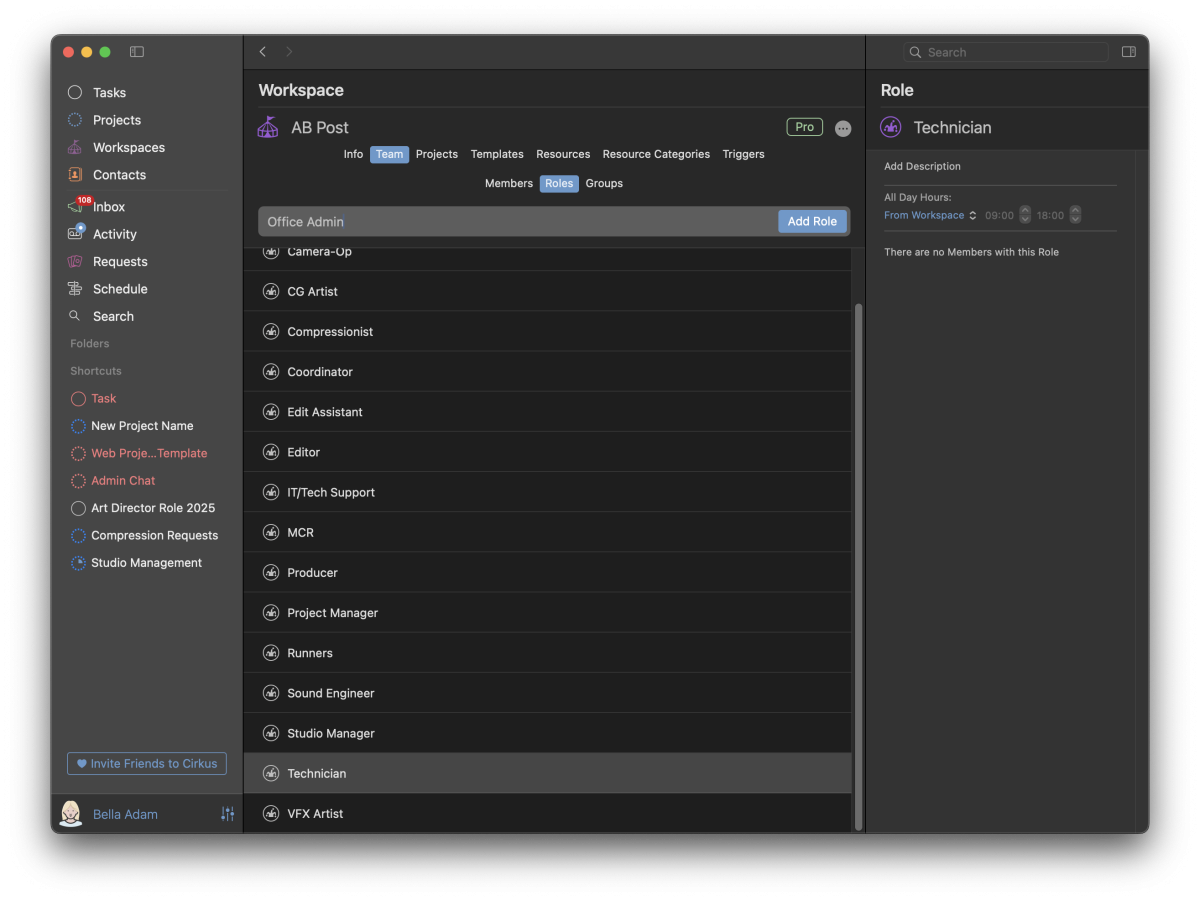
Post-production schedules can include editors, producers, colourists, sound designers, VFX artists and freelancers, as well as edit suites, grading rooms, studios and equipment.
The scheduler needs to see when those resources are available, what they are already booked to do and whether a proposed booking creates a conflict.
There is also an important difference between assigning responsibility and reserving capacity. A producer might own an offline-edit task, while a specific editor and edit suite are booked to complete the work.
Tasks, dependencies and delivery stages
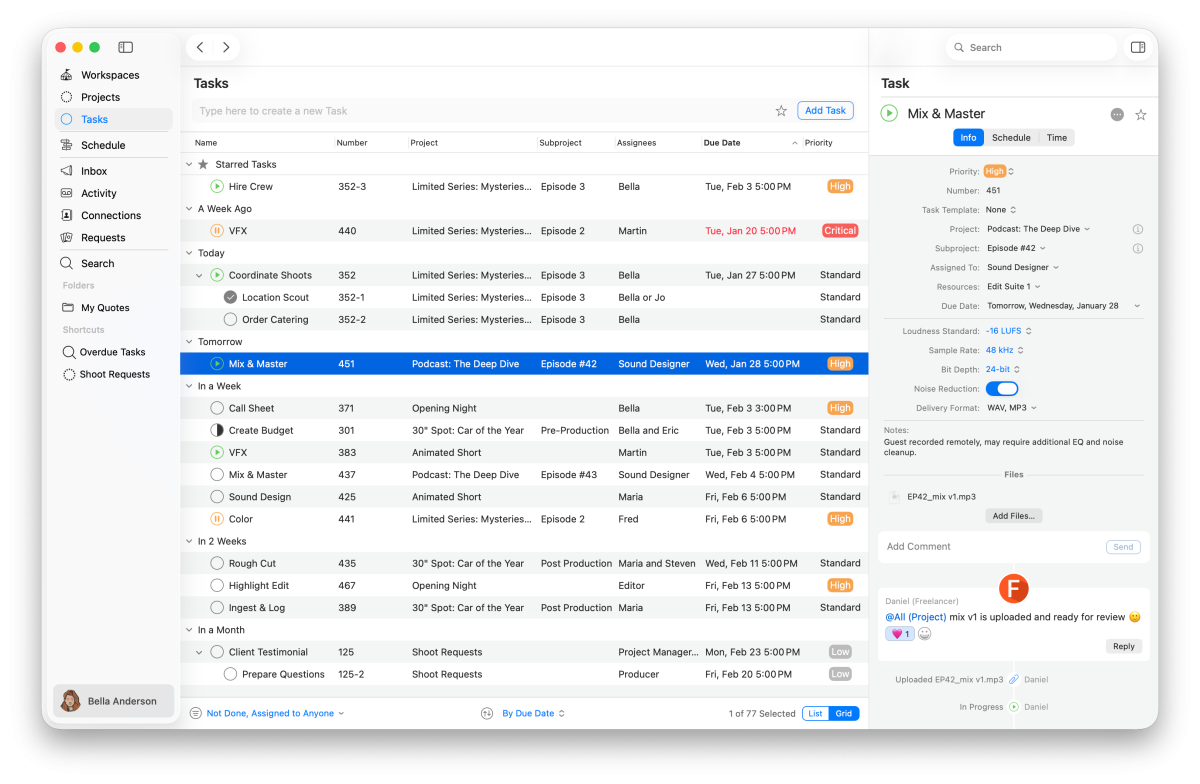
A typical post-production workflow moves through stages such as ingest, offline edit, internal review, client review, VFX, sound, colour, online finishing, quality control and final delivery.
These stages depend on one another. For example, final colour cannot begin reliably until the picture is approved and locked, and quality control can only happen once final files are ready.
A strong schedule links each task to its owner, resources, dependencies, milestones and delivery dates, so the post-production workflow reflects how the project actually moves forward — not just a series of calendar blocks.
Requests, reviews and changing priorities
New requests, reviews, approvals and revisions can quickly change resource needs and delivery dates. A small revision might bring an editor back onto a project, reopen an edit suite booking and push later sound or colour sessions.
Feedback and decisions should stay linked to the relevant task or booking, so teams can clearly see what changed and what is approved. As priorities shift, the schedule needs to change with them. A static calendar is not enough.
How to build and maintain a post-production schedule
A practical post-production schedule starts with the project requirements and builds into a shared, live view of the work. The process can be adapted to each team, depending on capacity, deadlines and deliverables.
Map the workflow and dependencies
Start with the brief, deliverables, formats, deadlines, review rounds and required specialists.
Then break the project into clear stages, showing which tasks depend on others. Add key milestones such as internal approval, client approval, picture lock, quality control and final delivery.
This keeps the workflow clear and makes it easier to see how delays could affect the schedule.
Book people, suites and equipment
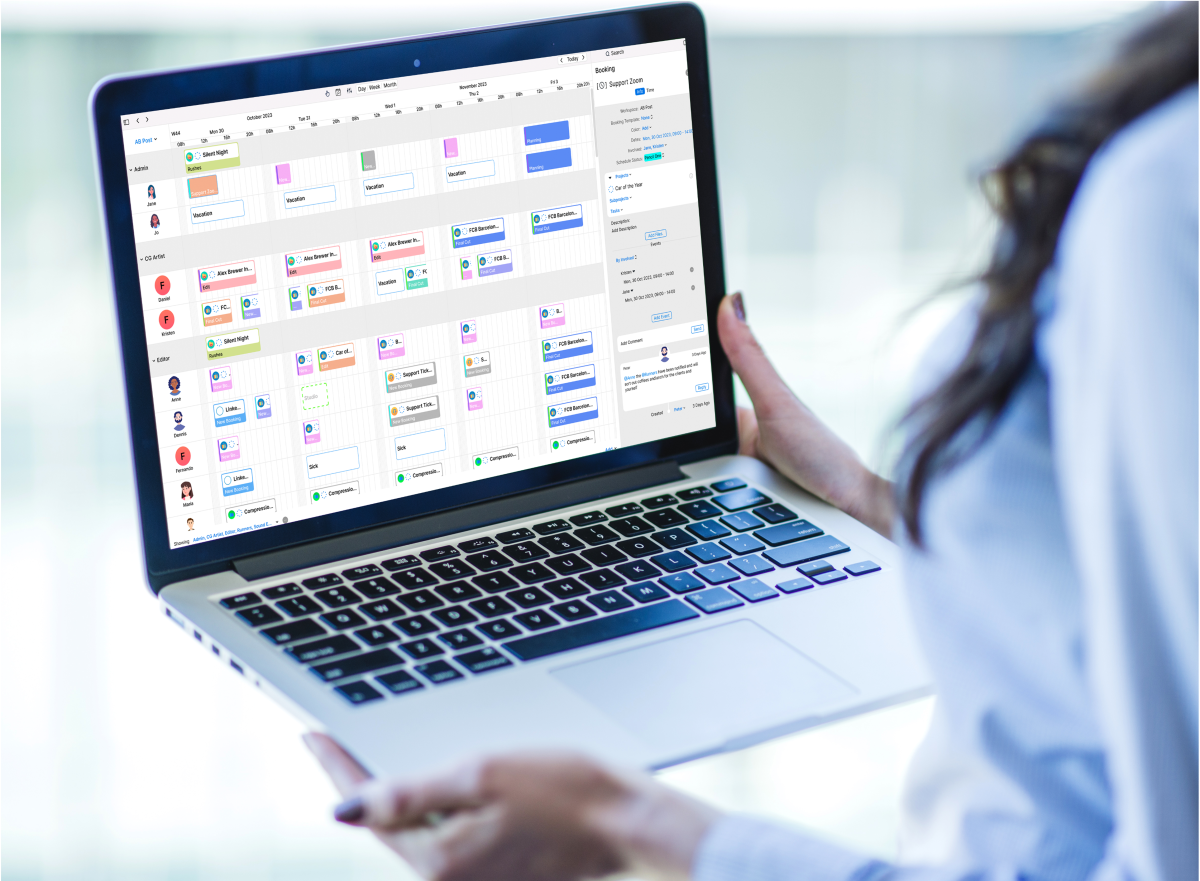
Check availability across all active projects before confirming an editor, freelancer, suite or piece of equipment.
For example, Edit Suite 2 may look free in one project plan but already be reserved elsewhere. A shared schedule makes these conflicts visible before bookings are confirmed. Tentative holds, confirmed bookings, working hours and clear statuses help teams see what is reserved, what is fixed and what may still change.
Use a simple post-production schedule template
A post production schedule template provides a consistent starting point for mapping tasks, responsibilities and dependencies.
| Stage or task | Owner or resource | Dependency | Planned window | Review or approval | Status |
| Ingest | Assistant editor | Media received | Monday morning | Producer check | Confirmed |
| Offline edit | Editor and Edit Suite 2 | Ingest complete | Monday–Wednesday | Internal review | In progress |
| Client review | Producer and client | Offline cut ready | Thursday | Client approval | Planned |
| VFX and sound | VFX artist and sound designer | Client notes received | Friday–Tuesday | Internal review | Tentative |
| Colour and online | Colourist and grading suite | Picture lock | Wednesday–Thursday | Final approval | Planned |
| Quality control | QC operator | Final master ready | Friday morning | Producer sign-off | Planned |
| Final delivery | Producer | QC complete | Friday afternoon | Client confirmation | Planned |
The template is only a starting point. The live post-production schedule must change as resource availability, approvals and revisions change.
Keep the live schedule current
Use one shared source of truth with a clear owner responsible for schedule changes. When priorities shift, update the related bookings, tasks and dependencies together so downstream impacts are visible and the revised plan can be communicated quickly.
A short daily review of new requests, absences, conflicts, overdue approvals and at-risk deadlines helps teams catch problems early and keep projects on track.
Common post-production scheduling problems
Scheduling problems cannot always be eliminated, but they can be made visible earlier and handled more consistently.
| Problem | Why it happens | Practical fix |
| Editors or suites are double-booked | Availability is stored in separate calendars or spreadsheets | Use one live schedule for people, rooms and equipment |
| The spreadsheet is out of date | Several versions are shared and updates are made manually | Give the live schedule a clear owner and update it centrally |
| Task ownership is unclear | Responsibility is discussed but not assigned | Assign an owner to each task and booking |
| Client feedback arrives late | Review dates and approvals are not actively tracked | Add review milestones and show their downstream dependencies |
| Communication is scattered | Decisions are spread across email, chat and meetings | Keep comments, files and decisions connected to the relevant work |
| Teams lack multi-project visibility | Each project is planned separately | Review shared capacity and deadlines across all active projects |
Distributed teams face additional handoff and visibility challenges. A structured remote post-production workflow helps keep responsibilities, feedback and schedule changes clear across locations.
What to look for in post-production scheduling software
Good post production scheduling software should help teams manage both day-to-day tasks and shared resources. General task boards can track to-dos, but often lack visibility into editor availability, rooms, equipment and booking requests.
When comparing post-production management tools, look for:
| Feature | Why it matters |
| Live Member, Role and Resource scheduling | Shows who and what is available |
| Bookings and scheduled tasks | Links capacity with planned work |
| Multi-project visibility | Helps balance deadlines and resources |
| Conflict handling | Highlights overlapping bookings |
| Requests and approvals | Structures new work and schedule changes |
| Reusable templates | Standardises recurring workflows |
| Comments and file attachments | Keeps context linked to tasks |
| Time reporting | Compares planned and reported time |
| Permissions | Controls access and schedule changes |
| Deployment options | Supports different operational needs |
The best resource scheduling software supports the scheduler’s decisions rather than replacing them. Teams still need to prioritise work, resolve conflicts and communicate changes clearly.
How Cirkus supports post-production scheduling
Cirkus is a farmerswife solution, drawing on more than 25 years of media scheduling and resource-management experience. It brings scheduling and task collaboration together for media and post-production teams, helping them manage people, resources and project work in one shared environment.
Teams can schedule Members, Roles and Resources, create bookings and scheduled tasks, check availability and conflicts, and organise dependencies across projects. This makes Cirkus a flexible post-production workflow software solution for teams managing changing workloads and deadlines.
Requests, approvals, templates, comments and file attachments keep project information connected to the work itself, while time reporting helps teams understand how time is being used. Quotes and rates are also available as an additional Business-plan benefit.
For teams growing across more projects, people and resources, Cirkus can also help build scalable post-production workflows without losing visibility.

- Collaborate from every device
- Automate tasks and workflows
- See all projects at a glance
- Make quotes in minutes
Conclusion
A strong post-production scheduler connects people, resources, tasks, reviews and delivery dates in one clear, workable plan.
Because priorities, feedback and availability can change quickly, the schedule needs to stay live and visible so teams can understand the impact across the wider post-production workflow.
Cirkus brings scheduling and project collaboration together in one shared environment.
Start your 30-day free trial of Cirkus or book a personalised demo to see how it can support your post-production scheduling
Frequently asked questions