
Schedule your Tasks
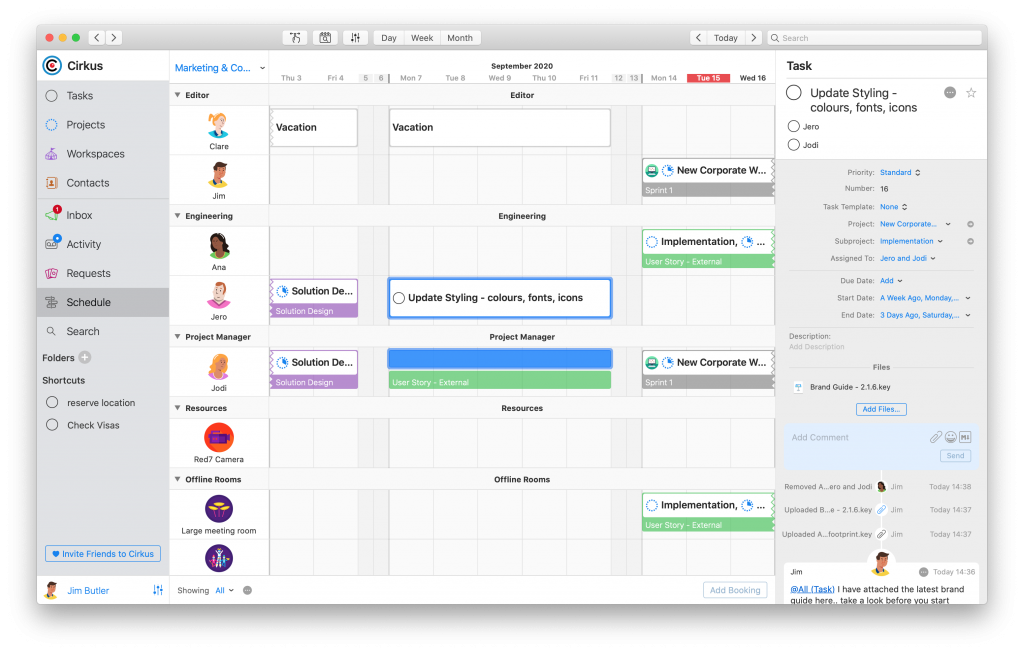
In our latest release we have made scheduling more flexible, by adding tasks to your timeline view.
If you know when a task needs to be done, and you want to “book” the assignees, set a start and end date for the task, and it will show in the timeline of those assigned.
Tasks vs Bookings, which should I use?
It depends on what you are trying to schedule.
A task with a start and end date will book everyone on the task for that time window.
Bookings can have both people or non-people resources involved, and one or more events per resource. Each event can have different start and end times.
For example, on a task to prepare a proposal with a colleague, you can add a start and end date to book you both for an afternoon when you will both work on the task.
However, for recording sessions for a project, you might want to book an engineer and a studio for different slots over a week. In this case you should use a booking.
Of course, you can mix and match for the variety of work that you need to do.
Faster collaboration with @all mentions
There is now a new shortcut to chat with all of your colleagues.
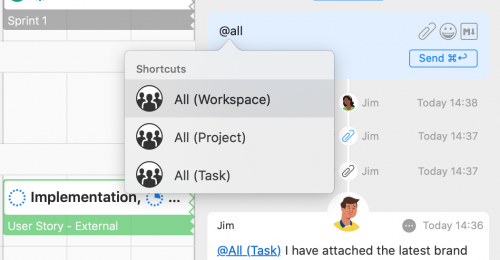
Cirkus now supports mentioning all task assignees, everyone in a project, all workspace members, or everyone involved in a booking with the @all mention shortcuts.
Type the @all shortcut, and select from the available options where you are collaborating.