

A shooting schedule organizes what needs to be filmed, when and where it will happen, and the people and resources required.
It turns a script, treatment, brief, or shot list into a realistic day-by-day plan, accounting for crew and talent availability, locations, equipment, setup time, travel, breaks, dependencies, and unexpected changes. This guide explains how to create a shooting schedule step by step, with a practical example and a shooting schedule template you can adapt for your own production.
Key takeaways
A useful shooting schedule should balance creative priorities with the practical limits of the production.
- Complete the breakdown first. Understand every scene, setup, person, location, and resource required before scheduling.
- Schedule around real constraints, not story order. Group work by location, talent, setup, equipment, and time of day wherever possible.
- Build in realistic buffers. Setup, travel, breaks, resets, technical checks, and unexpected delays all need time.
- Maintain one approved version. Assign one schedule owner and make sure everyone works from the latest information.
What is a shooting schedule?
A shooting schedule is a production plan that assigns scenes, interviews, shots, or setups to specific shoot days and times.It helps teams balance creative requirements with practical constraints such as crew and talent availability, locations, equipment, working hours, travel, and budget.
The level of detail varies by production. A feature film may need a detailed filming schedule spanning several weeks, while a commercial, corporate video, interview, or branded shoot may only require one or two days.
Whatever the scale, the goal is to create a clear production schedule showing what needs to happen, when, and which resources are required.

- Collaborate from every device
- Automate tasks and workflows
- See all projects at a glance
- Make quotes in minutes
What should a shooting schedule include?
A good shooting schedule template combines creative requirements with the practical details needed to make each shoot day realistic.
| Field | Why it matters |
| Shoot date or day number | Shows when the work is planned |
| Scene or setup | Identifies what will be filmed |
| Location | Helps coordinate access, travel, and logistics |
| Interior/exterior and day/night | Highlights lighting and timing needs |
| Cast or talent | Confirms who needs to be available |
| Crew requirements | Identifies the roles or departments required |
| Equipment | Confirms cameras, lighting, sound, and specialist resources |
| Estimated duration | Helps create a realistic shooting day |
| Travel or company moves | Accounts for time between locations |
| Notes or dependencies | Records approvals, access, weather, or other constraints |
Timing and dependencies are just as important as the scene list. A useful shooting plan template shows not only what needs to be filmed, but also what must be in place for each scene or setup to happen successfully.
Who creates and updates a shooting schedule?
Ownership depends on the type and scale of production. On larger productions, the 1st assistant director may take responsibility for preparing and maintaining the shooting schedule. On smaller productions, this may fall to a producer, production manager, or production coordinator.
Department heads should provide input on practical requirements and availability, but there should always be one person responsible for the approved version.
Without clear ownership, different versions can quickly begin circulating between departments.
Shooting schedule vs call sheet, shot list, stripboard, and production schedule
These documents work together, but each has a different role in production planning.
| Document | Purpose |
| Shooting schedule | Plans which scenes or setups will be filmed across each shoot day |
| Call sheet | Gives call times, locations, contacts, and instructions for one shoot day |
| Shot list | Lists the individual shots the creative team plans to capture |
| Stripboard | Organizes scene information into movable strips for scheduling |
| Production schedule | Covers the wider timeline from pre-production through filming, post-production, and delivery |
The key difference in shooting schedule vs call sheet is scope: the shooting schedule plans the shoot across multiple days, while the call sheet manages one specific day.
The shooting schedule also sits within the wider project master schedule, turning overall milestones into a practical filming plan.
What do you need before creating a shooting schedule?
Good shooting schedule planning starts once the main creative and production requirements are clear enough to estimate.
Before scheduling, confirm:
- Script, brief, treatment, or shot list
- Scene or setup breakdown
- Cast and crew availability
- Locations and access times
- Equipment requirements
- Permits and permissions
- Travel or company moves
- Daylight or weather restrictions
- Budget and delivery dates
- Major dependencies and approvals
These inputs should align with the wider project master schedule, so filming leaves enough time for editing, reviews, approvals, and final delivery.
How to create a shooting schedule step by step
Creating a shooting schedule is an iterative process. You may need to return to an earlier step when availability, location access, or other constraints change.
To illustrate the process, imagine a small branded video production involving an office interview, workplace footage, and exterior product shots.
Step 1: Break down the script, brief, or shot list
Start by listing every shootable unit, such as scenes, interviews, B-roll, product shots, establishing shots, or pickups. For each, record the people, location, props, wardrobe, equipment, special requirements, and approvals needed before assigning dates and times.
Step 2: Estimate time and identify dependencies
Estimate the full time needed for each shoot element, including setup, rehearsals, filming, resets, wardrobe or equipment changes, and strike time. Also flag dependencies such as daylight, location access, talent availability, shared equipment, or shots that must happen in sequence.
Step 3: Group scenes by location, cast, setup, and time of day
Scenes are usually scheduled for efficiency rather than story order. Group scenes that share locations, talent, lighting or camera setups, equipment, wardrobe, or day/night requirements to reduce moves, resets, costs, and lost time.
Step 4: Confirm crew, talent, location, and equipment availability
Before locking dates, confirm that crew, talent, locations, studios, and equipment are available. Good crew scheduling and resource scheduling helps avoid conflicts, while video production management software can keep availability and bookings in one place.
Step 5: Build realistic daily shooting blocks
Arrange scenes and setups in a practical order, allowing time for crew call, preparation, technical setup, filming, breaks, resets, company moves, and wrap. Avoid planning to the absolute maximum; a flexible schedule is more realistic and easier to manage.
Step 6: Add travel, breaks, and contingency time
Allow time for travel, parking, loading, location access, technical checks, weather, talent delays, and unexpected resets. Building in contingency time helps protect key shots and reduces the risk of delays pushing the shoot into overtime
Step 7: Review, approve, and share one master version
Before publishing, have the producer, director, production lead, and relevant department heads review the schedule for conflicts. Keep one master version and update it whenever plans change.
Collaboration tools for teams can help keep schedules, tasks, files, comments, and status updates in one place.
Shooting schedule example and template
A shooting schedule template gives production teams a simple structure for planning each shoot day. It can be adapted for branded content, interviews, commercials, corporate videos, and other small-to-mid-sized productions.
What fields should a shooting schedule template include?
At minimum, a shooting plan template should include:
Required information
- Date and time
- Scene or setup
- Location
- Talent and crew
- Equipment or resources
- Estimated duration
A spreadsheet may be enough for a simple shoot. For larger productions or schedules that change frequently, teams may need stronger tools for availability, task management, bookings, and version control.
Example shooting schedule
This example shooting schedule shows how a one-day branded video shoot could be planned.
| Time | Scene / Setup | Location | Talent / Crew | Resources | Notes |
| 08:00 | Crew call and setup | Office | Production crew | Camera, lighting, sound | Setup and technical checks |
| 09:00 | Executive interview | Meeting room | Executive + crew | Camera, sound, lighting | Allow time for retakes |
| 11:00 | Office B-roll | Office | Crew | Camera | Multiple work areas |
| 12:30 | Lunch | — | All | — | 60 minutes |
| 13:30 | Product setup | Studio area | Crew | Camera, lighting, products | Changeover required |
| 15:00 | Travel and exterior setup | Exterior location | Crew + talent | Camera, portable lighting | Includes travel time |
| 16:00 | Exterior closing shots | Exterior location | Talent + crew | Camera | 30-minute contingency |
| 17:00 | Wrap and strike | — | Crew | — | Pack and check equipment |
This shooting schedule example can be adjusted to match different locations, crew sizes, resources, and production requirements.
Common shooting schedule mistakes and last-minute changes
Common shooting schedule mistakes include planning scenes in story order instead of for efficiency, overloading the day, forgetting setup or travel time, failing to confirm availability, and allowing multiple versions of the schedule to circulate.
When last-minute schedule changes happen:
- Assess which scenes, people, locations, or resources are affected.
- Choose the safest practical alternative.
- Update the master schedule.
- Notify everyone affected by the change.
It also helps to prepare backup options for weather problems, unavailable talent, location issues, or equipment conflicts so the production can keep moving without rebuilding the entire day.
How Cirkus supports production scheduling
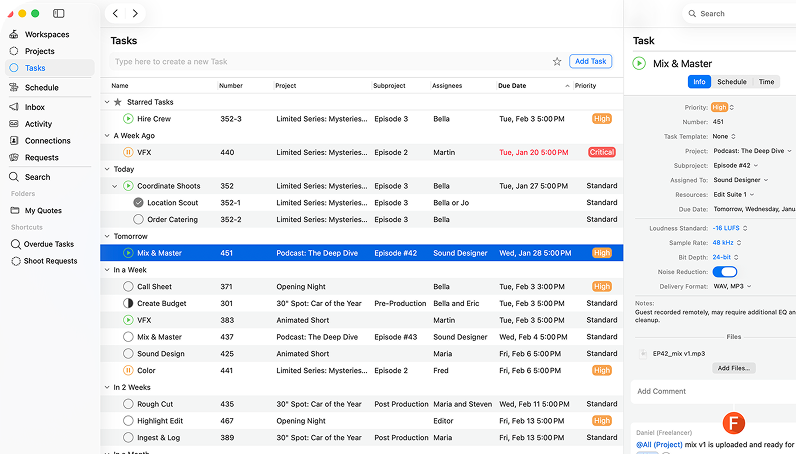
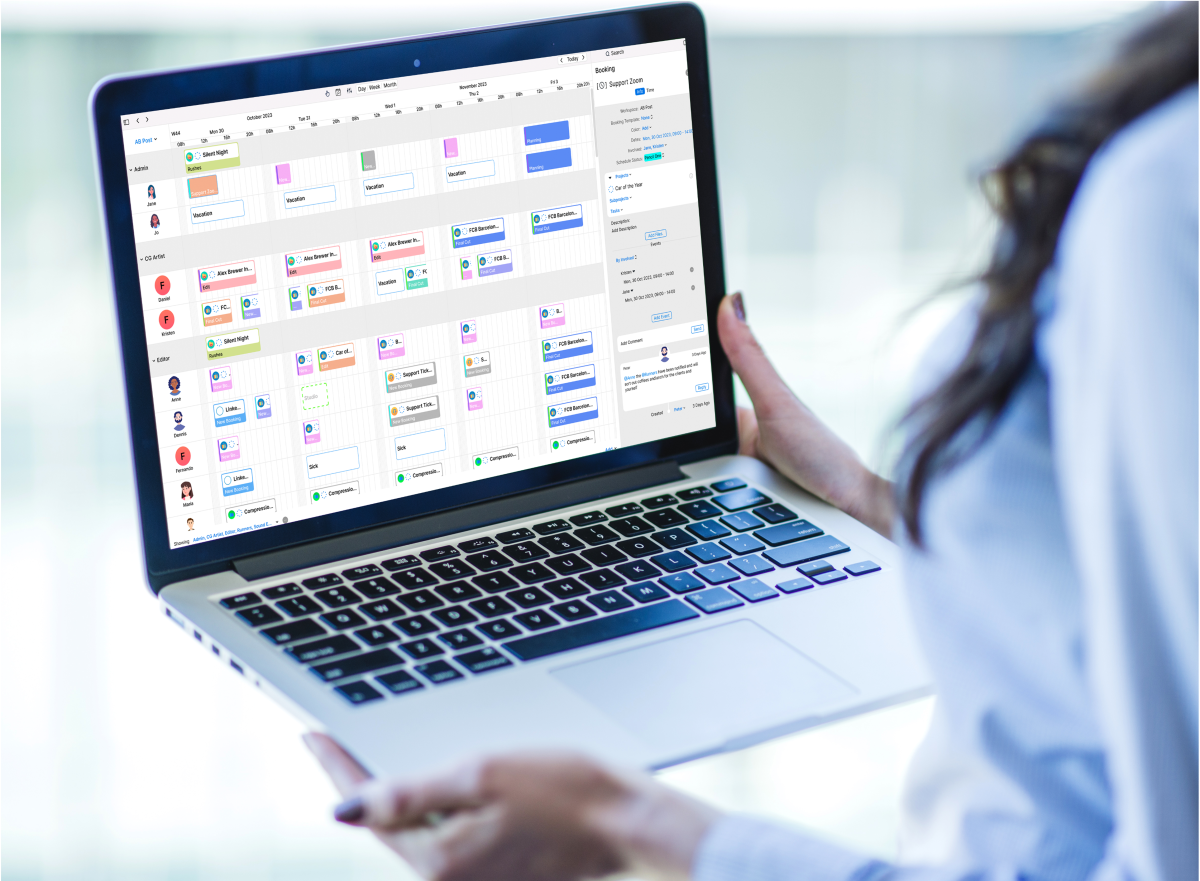
A shooting schedule is only one part of managing a production. Cirkus acts as video production management software that helps teams coordinate crew and resource availability, booking requests, project phases, milestones, tasks, deadlines, comments, attachments, and status updates.
This connects crew scheduling and production scheduling software with wider project management in the media industry, rather than treating the shoot as a separate calendar.
Once filming is complete, teams can carry tasks, files, deadlines, updates, and responsibilities into post-production project management for a smoother handoff between production stages.
Conclusion
A strong shooting schedule balances creative priorities with the real limits of time, people, locations, and resources.
Start with a complete breakdown, build realistic shoot days, and maintain one current version so the whole team stays aligned as plans change. Cirkus supports the wider production workflow by helping teams manage crew and resource bookings, tasks, milestones, updates, and handoffs into post-production.
Start your 30-day free trial of Cirkus to see how our video production management software can support your scheduling workflow, or book a personalized demo to learn more.
Frequently asked questions