

In an industry where deadlines are tight, workflows are complex, and creativity can’t be rushed, effective project management in media can make or break your production. Whether you’re running a post-production house, a content studio, or a cross-functional creative agency, the right structure and systems are crucial to keep everyone aligned and moving forward.
This guide breaks down what makes media projects unique, what successful teams do differently, and how you can optimize your own processes with the help of the right tools.
Why Project Management in Media Requires a Different Approach
Project management in media isn’t like managing traditional corporate projects. Creative workflows come with their own set of unpredictable challenges:
Shifting timelines and last-minute changes
Creative work often evolves, and this fluidity needs to be anticipated. In fast-paced productions, priorities may shift due to client feedback, new creative direction, or technical constraints. A rigid timeline can’t absorb these changes, which is why teams need systems that allow for dynamic rescheduling and adaptable project planning.
Collaboration across various departments and freelancers
External and internal contributors must align. From editors to colorists, sound designers to project leads, the media production process depends on a synchronized effort across specialized roles.
Strong multitasking skills are essential, as team members often juggle overlapping responsibilities and shifting timelines. Miscommunication or misalignment can lead to duplicated efforts, missed deadlines, or inconsistent outputs, especially when working with contractors who may only join for a short phase.

- Collaborate from every device
- Automate tasks and workflows
- See all projects at a glance
- Make quotes in minutes
Managing heavy digital assets (video, audio, animations)
Organizing, storing, and sharing these assets efficiently is critical. High-resolution video files, layered project files, and multiple iterations require structured digital asset management. Without clear naming conventions, folder structures, and centralized access, teams waste valuable time locating the right version, or worse, working off the wrong one.
These challenges demand tools and methods specifically designed to handle media team roles, not just generic to-do lists or spreadsheets. The more complex the project, the more important it is to build transparency and trust across roles. If even one member of a production chain is out of sync, timelines can unravel quickly. That’s why understanding these obstacles is key to building an effective and resilient workflow.
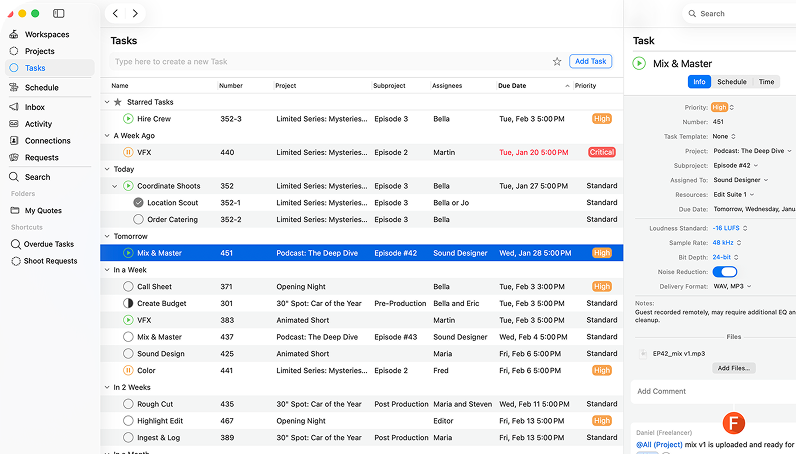
Generic project management approaches rarely support the fast, collaborative, and visual nature of creative production. Media teams require tools and processes that align with the pace and nuances of creative delivery. Features like timeline-based scheduling, visual task boards, and collaborative asset review aren’t just nice to have, they’re essential.
Core Principles of Successful Media Project Management
Effective project management in media industry is grounded in a few non-negotiables. These principles allow for agility while ensuring consistent delivery quality.
1. Agile Planning
While creatives need flexibility, producers need structure. Agile-style planning helps balance the two:
Key Agile Practices for Media Projects
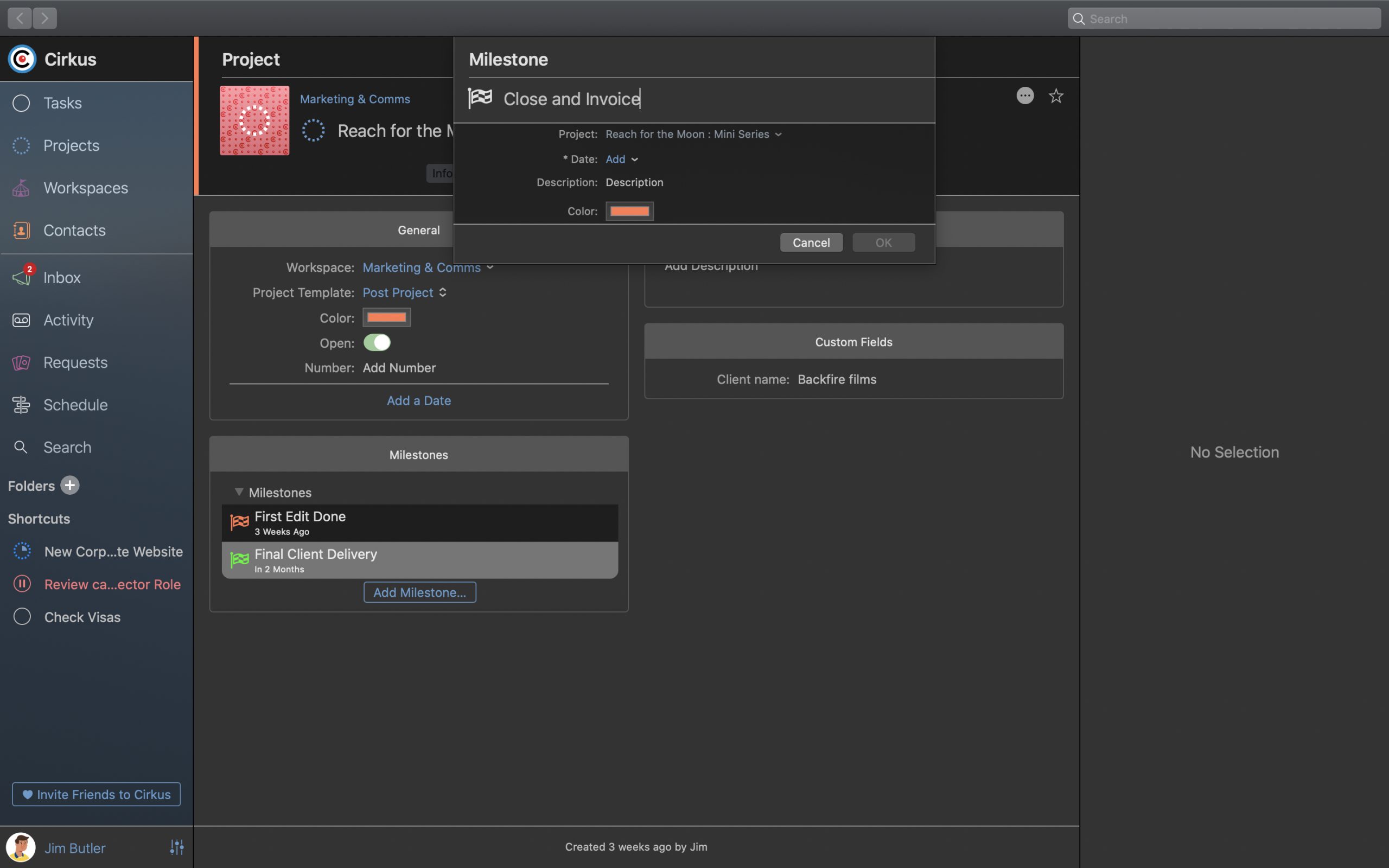
- Break projects into phases or milestones – Helps track progress without overwhelming the team.
- Prioritize iterative delivery – Allows for feedback and adjustments at every stage.
Agile methods also help teams adapt quickly to feedback, adjust scope without starting from scratch, and improve morale by celebrating small wins.
2. Centralized Communication
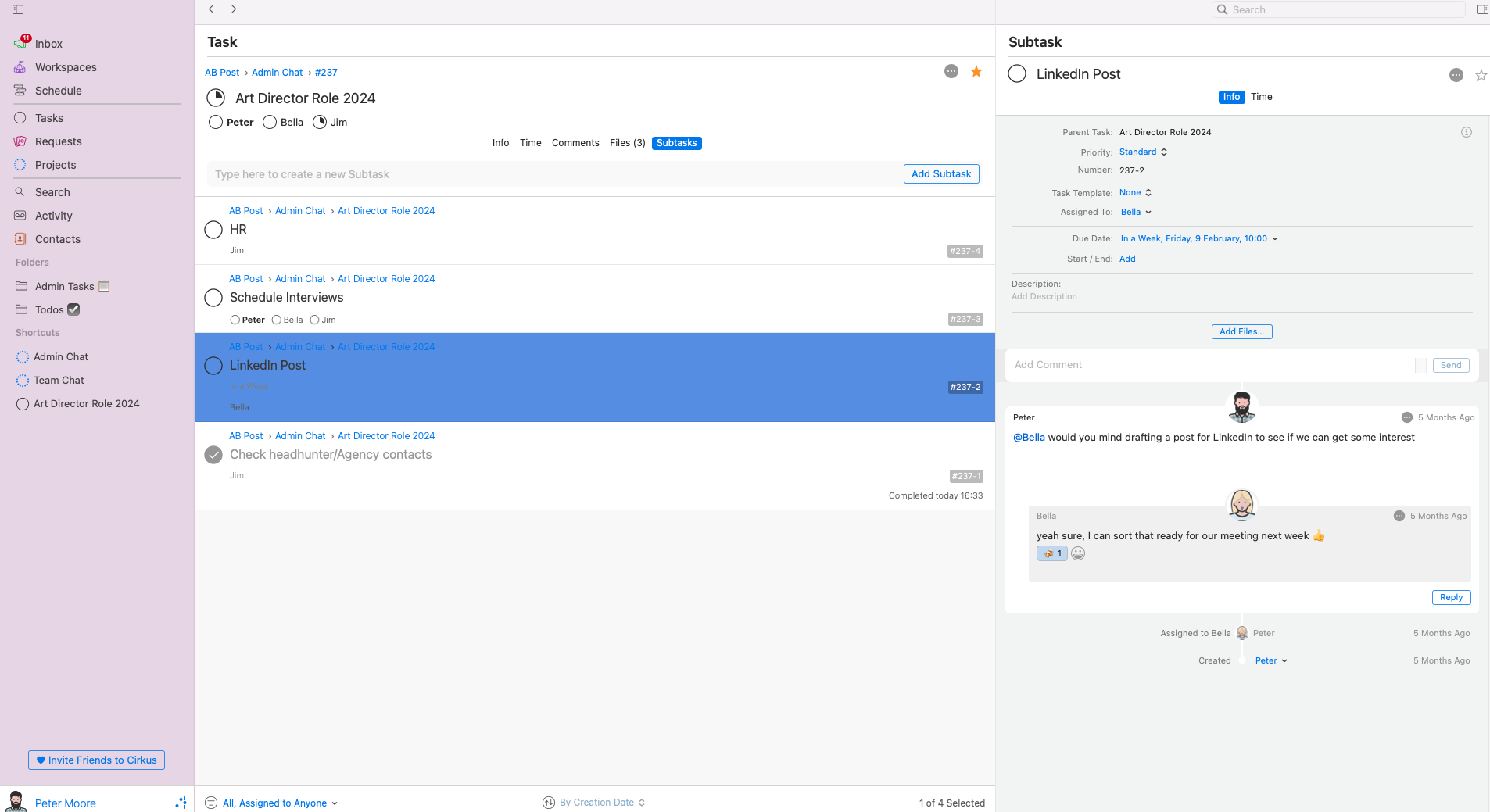
Media production teams often work across time zones and departments. Keeping feedback in one place reduces chaos:
- Threaded task comments – Keep the context tied to specific deliverables.
- Attached client notes – Eliminate the risk of scattered feedback and outdated information.
With centralized communication, teams no longer have to waste time searching for information or asking the same questions repeatedly. It creates a shared digital memory.
3. Visual Project Timelines
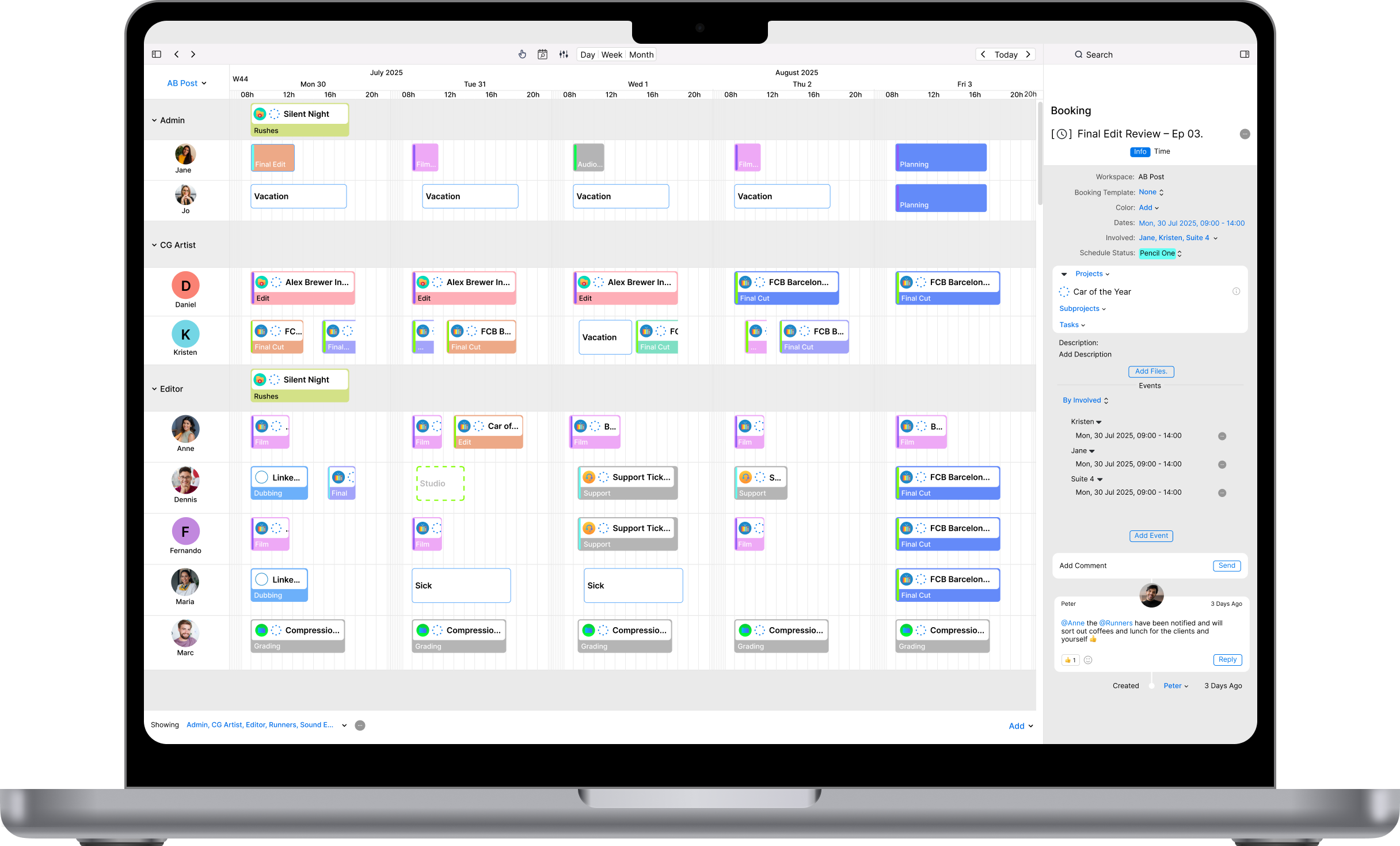
Most creatives think visually. Gantt charts, Kanban boards, and visual timelines help everyone see the big picture at a glance.
They also assist in communicating deadlines and milestones more intuitively across departments. These visual formats allow team leads to see potential conflicts or overlaps, helping to adjust before issues arise.
Building the Right Workflow for a Media Production Team
Each phase of a media project requires a different set of actions, tools, and check-ins. Defining clear workflows ensures that no step is overlooked, even as things move quickly. A streamlined workflow saves time, reduces confusion, and helps deliver a consistent product across teams and projects.
Pre-production
Pre-production is where ideas take shape. Solid planning during this stage can prevent chaos down the line.
- Brief creation – Lays the groundwork by outlining objectives and creative direction. It ensures everyone understands what the end goal is.
- Budget and scheduling – Assigns resources and timelines while remaining realistic about creative cycles.
This phase is all about alignment. If expectations aren’t clear from the start, delays and scope creep are almost guaranteed. Use this time to clarify stakeholder goals, creative constraints, and logistics.
Production
The production stage involves executing the creative vision. A clear video production workflow helps coordinate crew, equipment, tasks, and deadlines so everything runs smoothly on the day.
- Booking crew and gear – Assign the right people and tools for each shoot or session.
- Data management – Organize files from the moment they’re created to avoid chaos in post.
Production should be seamless, especially if you’ve planned well in pre-production. The fewer surprises, the better. Keep backup plans ready and ensure team members are empowered to make small on-the-spot decisions.
Post-production
Post-production is where everything comes together. A structured post-production workflow helps teams manage editing, versioning, feedback, approvals, and final delivery. Streamlining this phase can shorten timelines and reduce stress.
- Editing and versioning – Manage versions with clear feedback loops.
- Final delivery and archiving – Ensure assets are export-ready and accessible for future use.
This is where all previous planning pays off. Organized assets, documented feedback, and defined roles make for a more efficient post-production cycle. It also sets a precedent for future projects by modeling what a successful endgame looks like.
Reviewing and Closing Projects
Once the final deliverable is out, teams should debrief to capture lessons learned. Identify what worked, what didn’t, and how future workflows can improve. This retrospective builds institutional knowledge and reinforces continuous improvement.
Using media project management software tailored to these phases ensures your process doesn’t fall apart when things get fast-paced.
Managing Media Team Roles and Resources
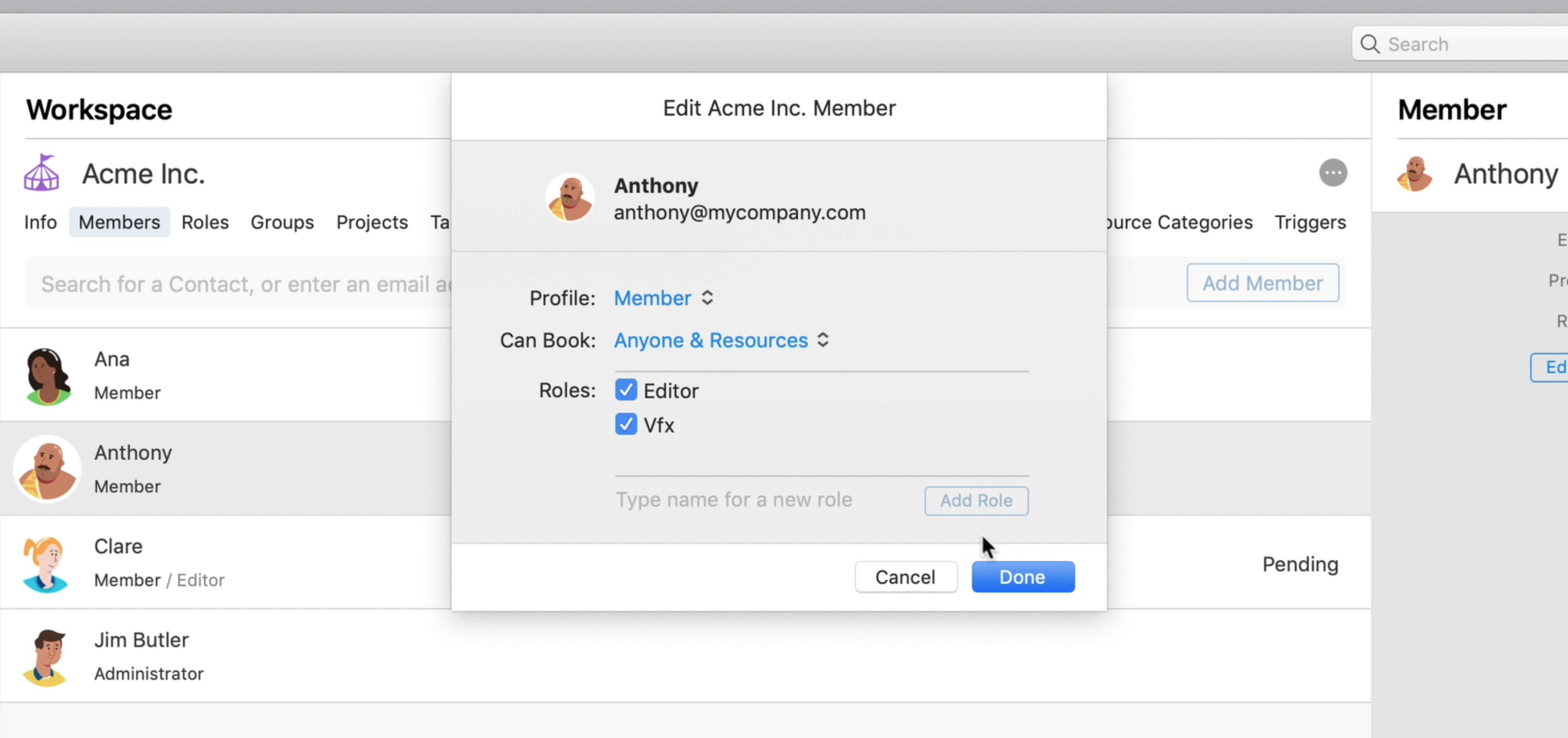
Your team’s talents and tools are limited which makes scheduling critical. Planning who does what and when is essential for maintaining productivity. In media environments, overlapping roles, last-minute changes, and external dependencies require a fine balance between rigidity and adaptability.
Your team’s talents and tools are limited, which makes scheduling critical. Effective personnel management, planning who does what and when, is essential for maintaining productivity. In media environments, last-minute changes, and external dependencies require a fine balance between rigidity and adaptability.
Key Resource Management Actions
Good resource management prevents burnout, missed deadlines, and underutilization. By visualizing team availability and gear booking alongside timelines, production managers can make informed decisions on the fly.
- Booking editors or animators – Match availability with workload.
- Reserving equipment or editing suites – Ensure smooth usage and prevent downtime.
- Using a shared calendar – Keep everyone aligned and visible.
Managing Remote and Hybrid Teams
With many creative professionals working remotely or in hybrid settings, it’s important to have systems that support asynchronous collaboration. From file sharing to approval cycles, your tech stack should make distance invisible and help overcome common virtual team challenges.
Streamlining Feedback, Approvals, and Collaboration
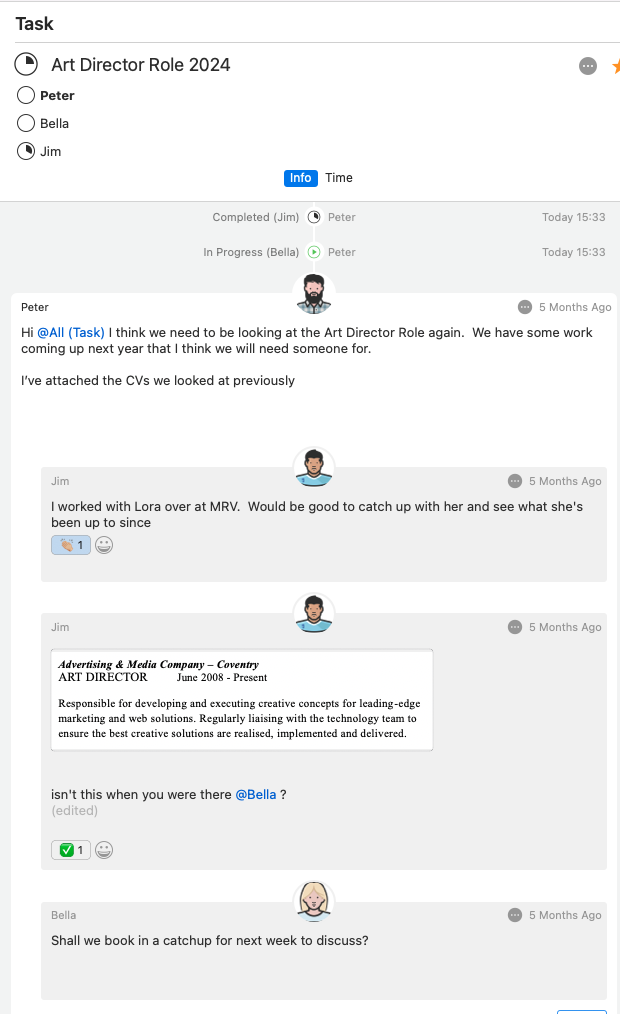
Clear, documented communication is essential in creative projects. Scattered feedback can cause rework and tension between teams. A reliable system for reviews and approvals ensures quality without delays.
Feedback Process Improvements
- Attach comments to tasks or assets – Keep feedback actionable.
- Use version control – Ensure everyone reviews the most up-to-date content.
More than a logistical need, collaboration is also a cultural pillar. Encouraging transparency and respectful critique strengthens teamwork and reinforces quality standards.
Creating a Feedback Culture
Feedback should be welcomed, timely, and specific. Build a culture where critique improves the work, not undermines it. Leaders should model this by giving constructive input and inviting it in return.
Automating the Repetitive to Focus on the Creative
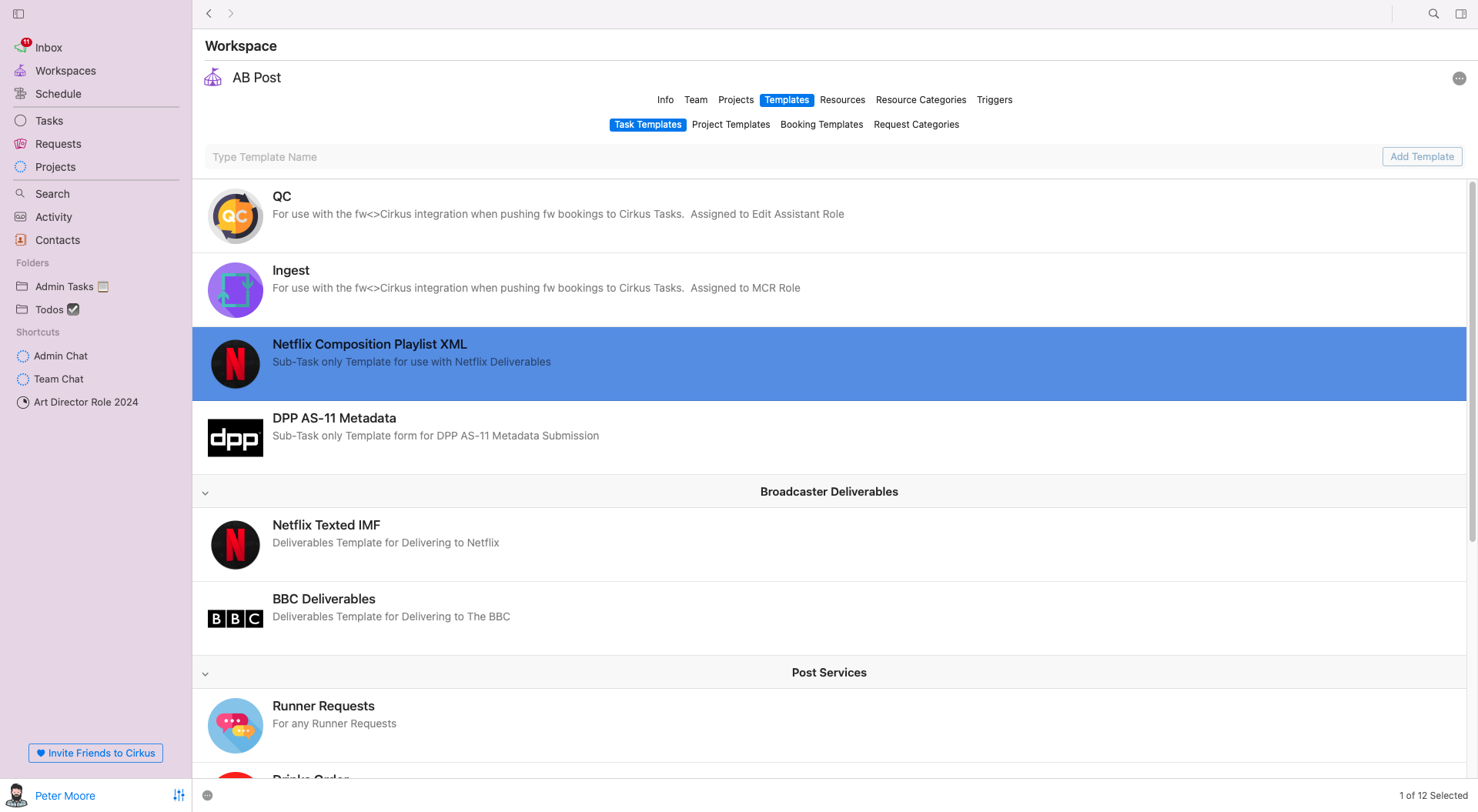
Repetition is common in creative projects tasks like weekly edits, recurring social clips, and branded templates. Automating these routines frees up your team for more strategic work. It also reduces human error and speeds up delivery.
Automation Opportunities
Automation doesn’t replace human creativity; it protects it. The less time your team spends on admin, the more they can contribute meaningful ideas and innovations.
- Create task templates – Build repeatable structures for common projects.
- Trigger automatic notifications – Alert team members when their input is needed.
When to Automate and When Not To
Not every task should be automated. Use automation to handle repetitive and time-sensitive tasks, but preserve human involvement for nuanced decisions, client relationships, and creative judgment.
Tracking Time and Deliverables Without Micromanagement
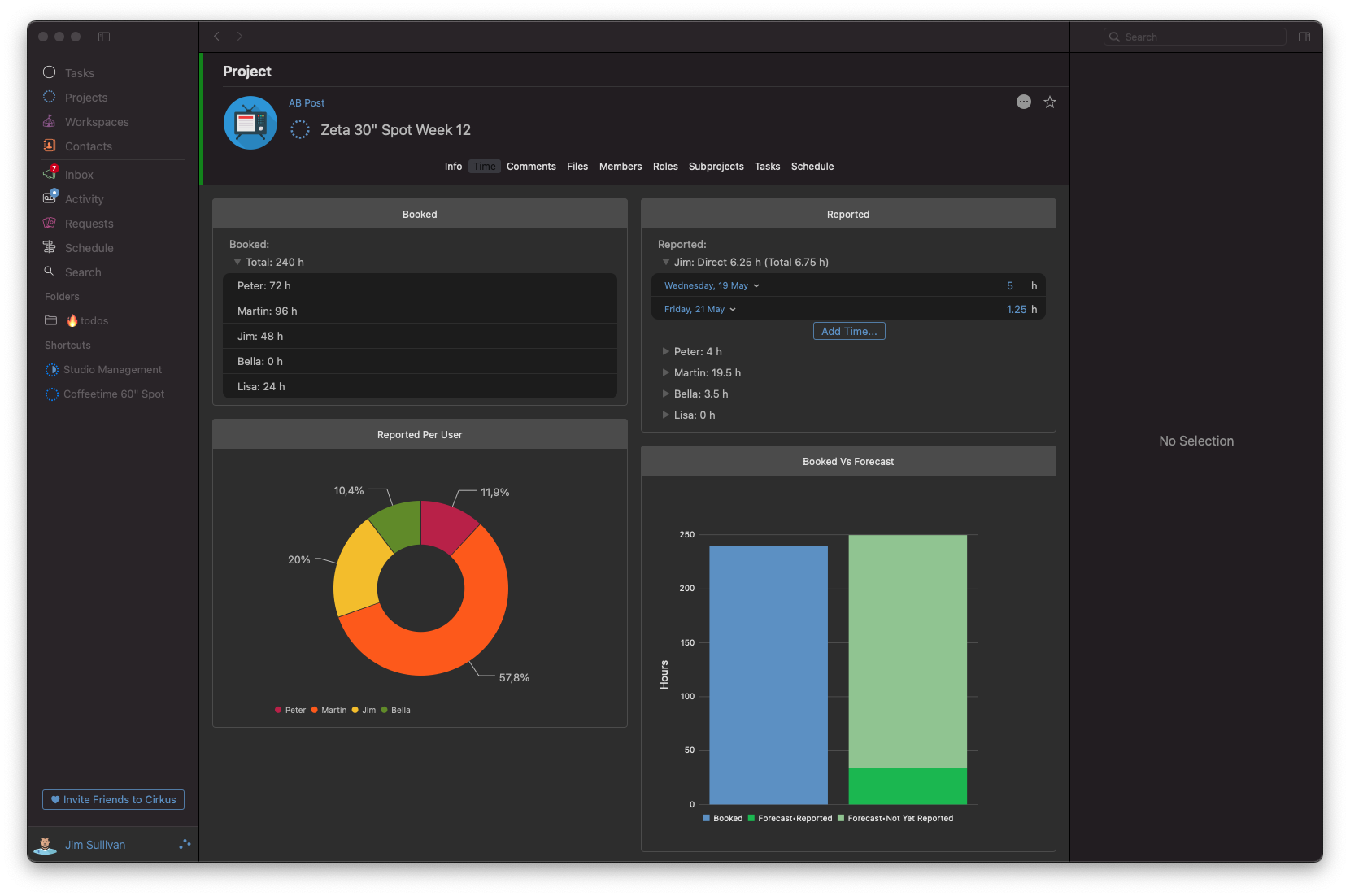
Time and task tracking should empower your team, not feel like surveillance. Set simple, measurable targets and stay flexible. Use tracking as a reflection tool, not a punishment mechanism.
Metrics That Matter
- Time per milestone – Identify how long each project phase truly takes.
- Turnaround times – Optimize review and delivery windows.
When time is tracked transparently and fairly, it reveals where processes can be tightened and where creative work may need more breathing room.
Encouraging Honest Time Reporting
Make it easy for team members to log time and provide context. Frame it as a way to improve project planning, not monitor productivity. This builds trust and accuracy in your reports.
Reporting That Helps Producers Make Better Decisions
You can’t improve what you can’t measure. Good reporting allows producers to lead with insight, not instinct. Whether you’re managing internal stakeholders or external clients, reports serve as a shared language for performance.
Strategic Reporting Insights
The goal isn’t just tracking outcomes, it’s creating a learning system. Data helps you predict outcomes, optimize workflows, and scale success.
- Project phase duration – Spot bottlenecks and plan more effectively.
- Budget and timeline adherence – Maintain client satisfaction and team morale.
Using Data to Drive Forecasting
Go beyond post-mortem analysis. Use historical project data to forecast timelines, budget needs, and resource availability. This proactive approach improves strategic decision-making.
Choosing the Right Project Management Tools for Creative Agencies
When choosing project management for creative agencies, look for tools that support visual planning, resource booking, versioned files, and time tracking. The best tools don’t just organize, they amplify your team’s strengths.
Must-Have Features
Your tool should fit into your team’s rhythm, not force a new one. Look for platforms that evolve with your process, not restrict it.
- Visual task views – See your work in a format that fits your team.
- Resource booking – Integrate scheduling and timelines.
- Versioned file sharing – Always work from the right asset.
- Time tracking and reporting – Stay informed and in control.
Evaluating the Total Cost of Ownership
Consider more than just the subscription cost. Include onboarding, training, customization, and how well the tool fits your team’s workflow. A higher initial investment may save time and money in the long run.
The right media production project management software helps your team reduce chaos, deliver faster, and collaborate better.
Conclusion
Project management in media industry is more than just task lists and calendars. It requires understanding the nuances of creative workflows, managing specialized roles and assets, and building a system that supports both structure and flexibility.
By adopting a tailored approach, and using tools designed specifically for creative industries your team can handle the pressure of fast-moving media production without sacrificing quality.
Instead of fighting your process, design one that works for you. That’s what great project management in media is all about.